Why does my 1 TB drive show about 931 GB?
Your drive label and Windows can count the same bytes in different-sized units. That's how a 1 TB drive can show about 931 GB without any bytes going missing.
Why can the same drive have two size readings?
A byte is a small unit of digital data. Picture your drive's bytes as a pile of coins: counting with a bigger scoop gives you a smaller tally for the same pile.
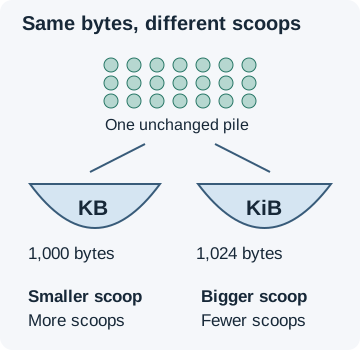
Drive labels use decimal units, built in steps of a thousand. Windows File Explorer counts in binary units, built in steps of 1,024, and still labels its readings KB, MB and GB. That's why the letters on their own can be confusing: the label and the screen can mean different-sized scoops.
How does 1 TB become about 931 GB in Windows?
A 1 TB label means 1,000,000,000,000 bytes. Count that capacity in binary gigabytes, called gibibytes (GiB), and you get 931.32 GiB—displayed as about 931 GB in Windows.
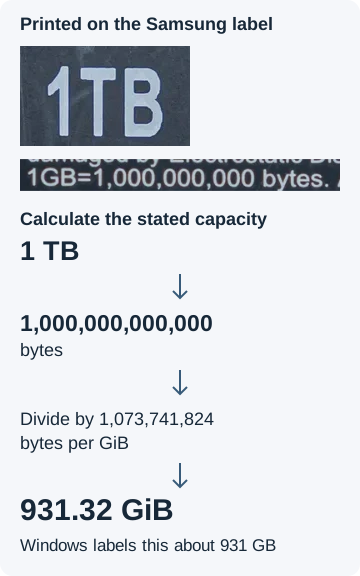

The label's fine print makes its meaning clear: 1 GB is 1,000,000,000 bytes. A GiB holds more bytes, so you need fewer of them to count the drive.
Is 931 GB a sign of missing storage?
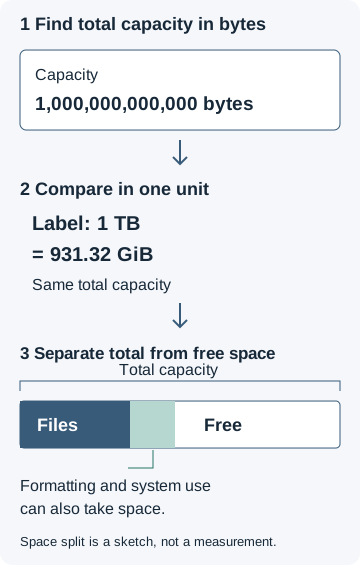
The 931 GB reading fits the unit conversion. If you're checking a drive's capacity, compare its total capacity before looking at how much room is free.
Doing it in FluffyBench: convert a drive's capacity
FluffyBench's Data size converter translates the number on a drive label into the unit you want to compare. Here's the 1 TB conversion, from the unit pickers to the result you can copy.
-
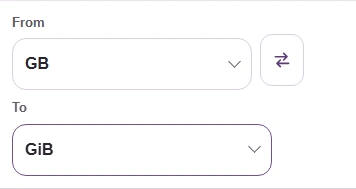

Step 1. From is the unit on your drive label; To is the unit you want to compare. - Open From to choose the label's unit.
- Open To to choose the comparison unit.
-
-


Step 2. Choose TB under From. Choosing a unit closes the picker. - Choose Terabyte (TB).
-
-


Step 3. Open To and choose GiB for Windows' binary count. - Choose Gibibyte (GiB).
-
-
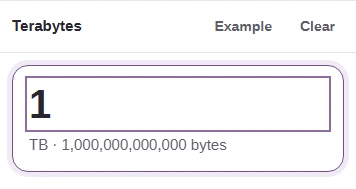
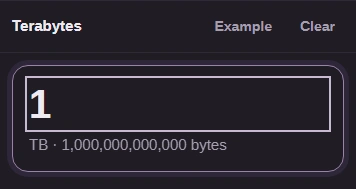
Step 4. Enter 1 in Input value for a 1 TB label. - Type 1; the result updates as you type.
-
-
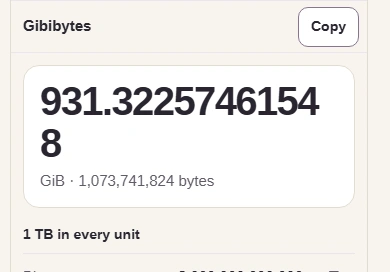
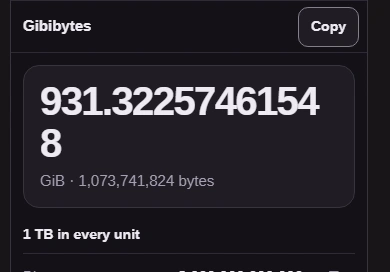
Step 5. Read the result as about 931.32 GiB. Copy puts the result number on your clipboard. - This is the same capacity in GiB.
- Copy copies the result number.
-
Need FluffyBench's Data size converter to compare a drive label with Windows?
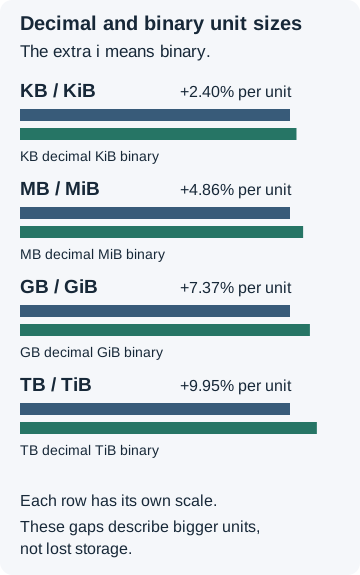
Why do decimal and binary units grow farther apart?
Each step up multiplies decimal units by a thousand and binary units by 1,024. That small difference builds up, so the larger unit pairs are farther apart.