Data size converter

Convert bits, bytes, decimal storage units and binary storage units locally.

FluffyShield Protected workspace
From
To

Convert to

Decimal

Bit
Byte
KilobyteKB
MegabyteMB
GigabyteGB
TerabyteTB

Binary

KibibyteKiB
MebibyteMiB
GibibyteGiB
TebibyteTiB

Other quantities have their own pages: Length, Mass, Temperature, Area, Volume, Speed, Pressure, Energy and Power.

FluffyShield

Isolated workspace: other page scripts can't read your files. How FluffyShield works

How it works
  1. Match the From unit
  2. Choose the To unit
  3. Enter your amount
  4. Check the result and Copy

Decimal units

KB, MB, GB and TB.

Binary units

KiB, MiB, GiB and TiB.

Bits and bytes

Convert individual bits and bytes, too.

Limits From and To must be different units.

Convert data sizes without mixing up the units

GB and GiB can give different numbers for exactly the same data.

FluffyBench's Data size converter gives you the number in the unit you need.

What's the difference between KB and KiB?

Think of KB and KiB as two rulers with different-sized marks: the same pile of bytes gets a different reading. The little 'i' names the binary ruler; each binary unit holds more bytes than its decimal partner.

KB / KiB: 1,000 bytes and 1,024 bytes, respectively. MB / MiB: 1,000,000 bytes and 1,048,576 bytes, respectively. GB / GiB: 1,000,000,000 bytes and 1,073,741,824 bytes, respectively. TB / TiB: 1,000,000,000,000 bytes and 1,099,511,627,776 bytes, respectively.
Within each pair, the rulers start together and share a scale. The dotted line marks where the decimal unit ends; the labels give exact byte counts for one unit. How we reviewed

Why does 1 TB become about 931 GiB?

One TB is about 931.32 GiB. A GiB holds more bytes than a GB, so counting in GiB gives a smaller reading than counting the same amount in GB.

1 TB is 1,000,000,000,000 bytes. Divide by 1,073,741,824 bytes per GiB to get approximately 931.32 GiB.
The byte count stays fixed while the unit changes.

Unit conversion alone can't explain or diagnose other capacity differences on a drive.

Doing it in FluffyBench's Data size converter

Here's a complete conversion from a decimal terabyte label to a GiB reading. Match From to the label you have and To to the unit your destination asks for.
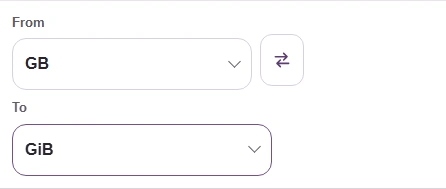

  1. From and To unit buttons in FluffyBench's Data size converter.
    From and To unit buttons in FluffyBench's Data size converter.
    Step 1. Start with the units: From is the label you have; To is the label you need.
    1. Open From to choose the starting unit.
    2. Open To to choose the result unit.
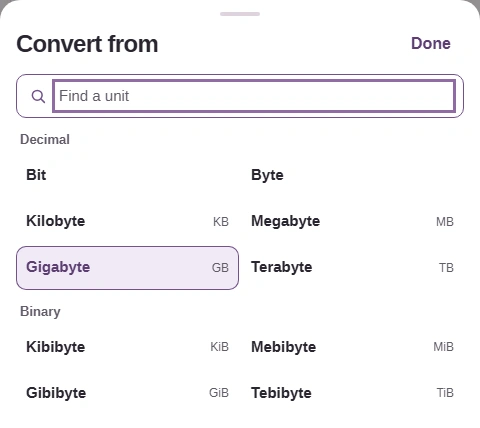
  2. From picker showing Find a unit, Decimal choices including TB, and Binary choices.
    From picker showing Find a unit, Decimal choices including TB, and Binary choices.
    Step 2. For a terabyte label, choose TB in the Decimal group. Choosing a unit closes the picker.
    1. Find a unit filters the choices by name or symbol.
    2. Choose Terabyte (TB).
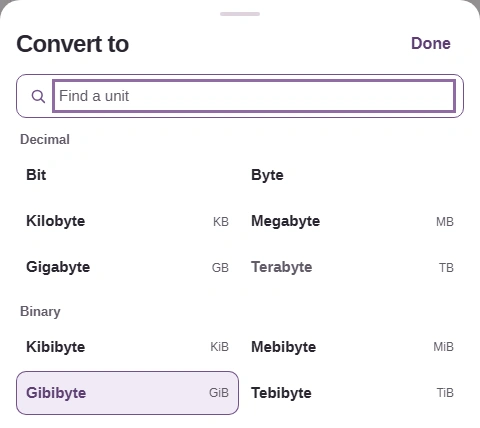
  3. To picker with Decimal and Binary groups and Gibibytes (GiB).
    To picker with Decimal and Binary groups and Gibibytes (GiB).
    Step 3. For a binary gigabyte reading, choose GiB in the Binary group.
    1. Choose Gibibyte (GiB).
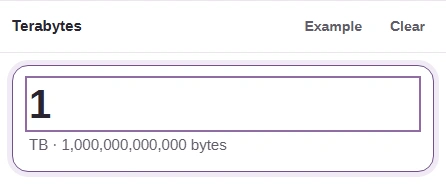
  4. Terabytes input pane with 1 entered.
    Terabytes input pane with 1 entered.
    Step 4. Enter 1 in Terabytes; FluffyBench updates the result as you type.
    1. Enter 1.
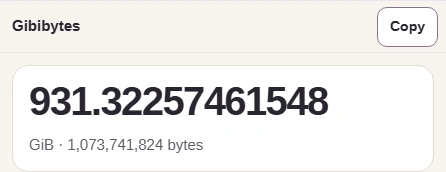
  5. Gibibytes result 931.32257461548, its GiB unit line, and Copy.
    Gibibytes result 931.32257461548, its GiB unit line, and Copy.
    Step 5. Check the Gibibytes heading and result before using Copy. Copy puts the number on your clipboard without a unit or grouping commas, so add GiB when sharing it.
    1. Check that Gibibytes is the unit you need.
    2. Read the converted amount.
    3. Copy the result number.

Need FluffyBench's Number base converter to read an integer in binary, decimal or hexadecimal?

Bits or bytes?

Bit and Byte are also choices in FluffyBench's Decimal picker group. A lowercase b means bit; an uppercase B means byte, which holds 8 bits—so those labels aren't interchangeable.

8 bit cells, containing 01101001, grouped into one byte.
The bracket groups the bits into one byte.
Search FluffyBench