
Unix timestamps and ISO dates: how can they mean the same moment?
A long number and a date ending in Z can point to the very same moment.
Here's how to read both without shifting the time by mistake.
How do Unix timestamps and ISO dates describe one moment?
A Unix timestamp counts time from a fixed start; an ISO date-time writes a calendar date and clock reading.
Think of a Unix timestamp as a stopwatch with a fixed starting mark: the epoch, 1970-01-01T00:00:00Z. An ISO date-time is like a calendar beside a clock. They're two ways to label a point on the same timeline, so changing the label doesn't move the moment.
Here's midnight UTC on 2024-09-19 in three forms. The numbers count from the epoch; the date-time spells out when it is.

Need to convert a Unix timestamp to a calendar date?
Why are Unix milliseconds longer numbers than Unix seconds?
Milliseconds count smaller pieces of time, so the number grows while the moment stays put.
Each second contains 1,000 milliseconds. A JavaScript Date uses the millisecond count.

How does a UTC offset identify the same moment?
A UTC offset tells you how far the written clock reading is ahead of or behind UTC, the shared reference clock.
A clock marked -04:00 is four hours behind UTC. Add those hours to its reading to express the same moment in UTC.

When does a local schedule need a named time zone?
A named zone supplies a place's clock rules across dates, including daylight-saving changes.
An offset describes one date and time; it doesn't carry the rules for a future local schedule. In New York, 2026-11-01 01:30 occurs twice with different offsets when daylight saving time ends.

What happens when date text has no UTC offset?
The software reading it has to supply a zone, and different readers can use different rules.
JavaScript's built-in parsing treats a date alone as UTC, but a date plus a clock reading as local time when there's no offset. FluffyBench's Timestamp Converter resolves both forms in its selected Zone.

What information should travel with a timestamp?
Send the context that lets the next person or system read your value correctly. Match it to the kind of time you're sending.

Doing it in FluffyBench
FluffyBench's Timestamp Converter shows Unix seconds, Unix milliseconds and UTC ISO 8601 together, so you can compare them without doing the arithmetic. Here's the midnight example from this guide.
Use the labeled results to check that you've read the timestamp as the date you expected.
-
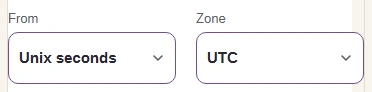
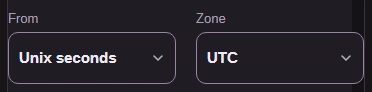
Step 1. Choose the input unit before pasting. Changing From later rewrites the value already in the box in the new unit. - From: choose Unix seconds to read a seconds count.
- Zone: choose UTC for the local display; it also resolves offset-free date text.
-
-
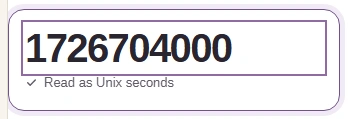
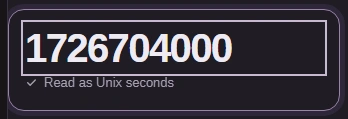
Step 2. Paste the seconds count into Timestamp or date. Results update as you type. - Paste 1726704000.
- Confirm Read as Unix seconds.
-
-
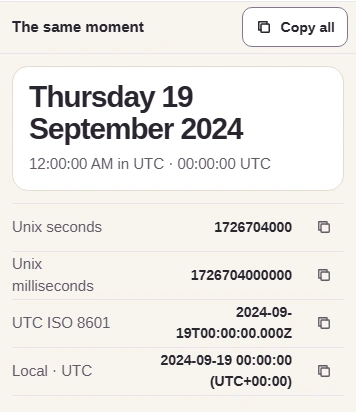
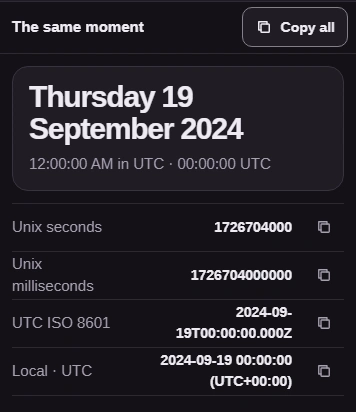
Step 3. Check the calendar date against what you expect. Each row holds a matching representation; Copy all includes every row with its label. - Check Thursday 19 September 2024 at midnight UTC.
- Compare Unix seconds, Unix milliseconds and UTC ISO 8601.
- Copy all copies the labeled results.
-