Unix timestamp converter

Convert Unix seconds, Unix milliseconds, or date text into UTC ISO and Unix forms.

FluffyShield Protected workspace
FluffyShield

Isolated workspace: other page scripts can't read your files. How FluffyShield works

How do I turn a timestamp into a date?

Got a number like 1000000000 from a log and need to know when it was? FluffyBench's Timestamp Converter shows the date it stands for, plus the same moment in seconds, milliseconds and UTC, so you can check you've got the right moment before you copy it.

How it works
  1. Choose how to read it in From
  2. Paste a number or a date
  3. Check the date, then copy the row you need

Numbers or dates

Paste Unix seconds, Unix milliseconds or a written date.

Every form at once

One moment as Unix seconds, milliseconds, UTC ISO 8601 and a local clock.

Any time zone

Zone sets the clock for a date written without one.

Limits One timestamp or date at a time.

What date does a Unix timestamp stand for?

A Unix timestamp is a count of seconds, a bit like an odometer for time. The count was zero at midnight UTC on January 1, 1970, a moment called the epoch, and it has gone up by one every second since. UTC is the shared reference clock that every time zone is measured from.

So 1000000000 is simply the moment the count reached a billion, and a negative number counts back to before 1970.
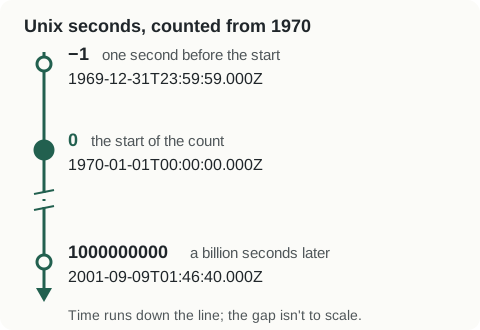
A line running forward in time. -1 is 1969-12-31T23:59:59.000Z, one second before the start; 0 is 1970-01-01T00:00:00.000Z, the start of the count; 1000000000 is 2001-09-09T01:46:40.000Z, a billion seconds later.
The date under each number is written in UTC ISO 8601, the same form FluffyBench shows in its UTC ISO 8601 row. How we measured

How does FluffyBench tell seconds from milliseconds?

Plenty of apps, JavaScript among them, count in milliseconds instead: 1000 to the second. The same moment then gets a number three digits longer, and the number itself doesn't say which count it came from.

Here's what that means for the same two numbers, read in the right unit and in the wrong one.
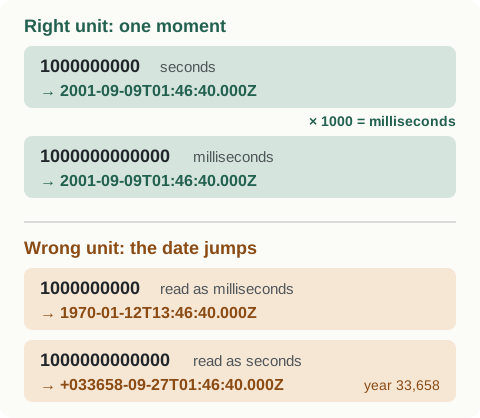
Right unit: 1000000000 seconds and 1000000000000 milliseconds both give 2001-09-09T01:46:40.000Z. Wrong unit: 1000000000 read as milliseconds gives 1970-01-12T13:46:40.000Z, and 1000000000000 read as seconds gives +033658-09-27T01:46:40.000Z, in the year 33,658.
A wrong unit gives no error, just a date that's decades or millennia off. If the date isn't when you expect the event happened, check the unit.

With From on Auto, FluffyBench guesses from the length: numbers up to 11 digits are read as seconds, longer ones as milliseconds. That fits timestamps from recent decades. When your log or app names its unit, choose Unix seconds or Unix milliseconds in From instead, and there's nothing to guess.

Converting a timestamp in FluffyBench's Timestamp Converter

Here's the whole job with 1000000000 from a log that counts in seconds: set From, paste the number, then check the date and copy it.
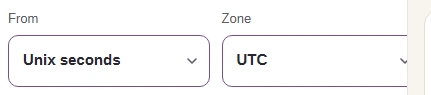
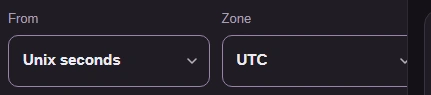
  1. FluffyBench's Timestamp Converter with From set to Unix seconds and Zone set to UTC.
    FluffyBench's Timestamp Converter with From set to Unix seconds and Zone set to UTC.
    Step 1. Set From before you paste: this log counts in seconds. Switching From later rewrites the number already in the box in the new unit instead of rereading it.
    1. Choose Unix seconds in From.
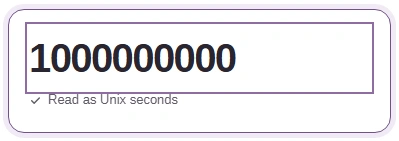
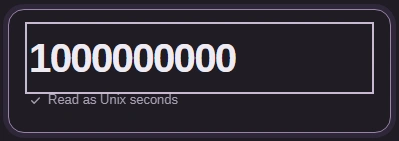
  2. The Timestamp or date box holds 1000000000, with the label Read as Unix seconds under it.
    The Timestamp or date box holds 1000000000, with the label Read as Unix seconds under it.
    Step 2. Paste the number into the Timestamp or date box; the line under it should say Read as Unix seconds. There's no Convert button: the results update as you type.
    1. Paste 1000000000.
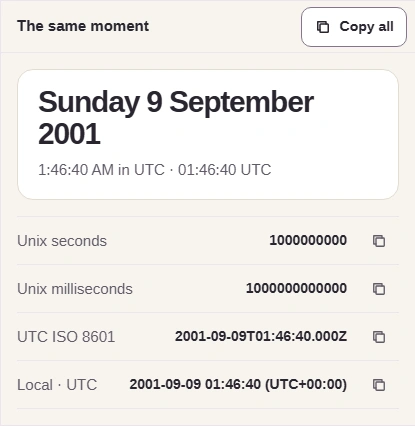
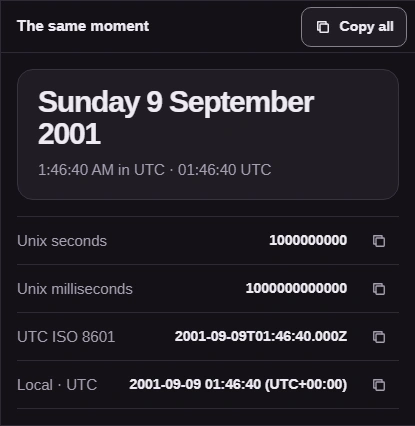
  3. The same moment pane: Sunday 9 September 2001 at 1:46:40 AM, then rows for Unix seconds 1000000000, Unix milliseconds 1000000000000, UTC ISO 8601 2001-09-09T01:46:40.000Z and Local, each with a copy button, and Copy all at the top.
    The same moment pane: Sunday 9 September 2001 at 1:46:40 AM, then rows for Unix seconds 1000000000, Unix milliseconds 1000000000000, UTC ISO 8601 2001-09-09T01:46:40.000Z and Local, each with a copy button, and Copy all at the top.
    Step 3. Check the date against what you expect, then copy the form you need. A row's button copies that value alone; Copy all copies every row with its label.
    1. Read the date and time.
    2. The same moment in UTC ISO 8601.
    3. Copy just this row's value.
    4. Or copy all four rows.

What changes when a date includes Z or an offset?

Timestamps also come written out, in a form like 2024-09-19T12:30:00-04:00, called ISO 8601. The ending says which clock wrote it: Z means UTC itself, and an offset such as −04:00 means a clock 4 hours behind UTC.

Picture one appointment on two wall clocks. FluffyBench moves the time onto the UTC clock, so 12:30 at −04:00 becomes 16:30 UTC.
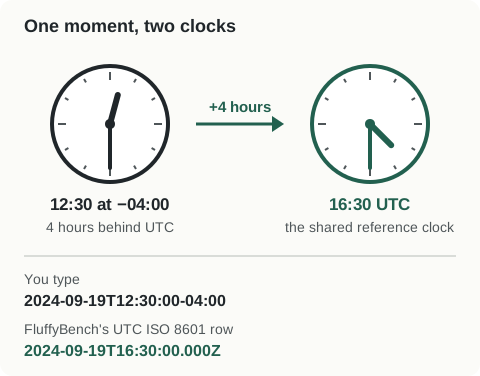
A clock at 12:30 labeled −04:00, 4 hours behind UTC, and a clock at 16:30 labeled UTC show the same moment. Typed 2024-09-19T12:30:00-04:00; the UTC ISO 8601 row shows 2024-09-19T16:30:00.000Z.
The clock reading changes; the appointment doesn't.

Since Z or an offset already pins the moment, Zone can't move it. Zone only picks which local clock FluffyBench shows beside it. Here's noon UTC with Zone set to London.


  1. From is set to ISO 8601 / RFC 3339 and Zone to Europe/London.
    From is set to ISO 8601 / RFC 3339 and Zone to Europe/London.
    Step 1. Choose ISO 8601 / RFC 3339 in From (Auto reads it too), and set Zone to a place, here London.
    1. From: ISO 8601 / RFC 3339.
    2. Zone: Europe/London.
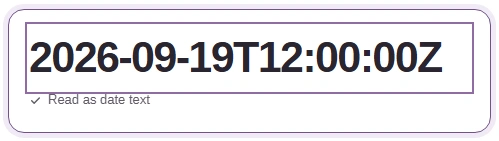
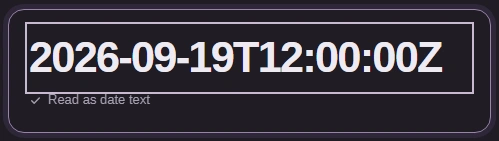
  2. The Timestamp or date box holds 2026-09-19T12:00:00Z, read as date text.
    The Timestamp or date box holds 2026-09-19T12:00:00Z, read as date text.
    Step 2. Type a date that ends in Z. The Z already pins it to one moment on the UTC clock.
    1. Type 2026-09-19T12:00:00Z.
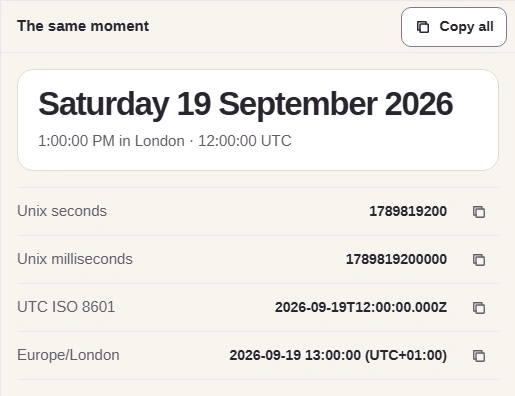
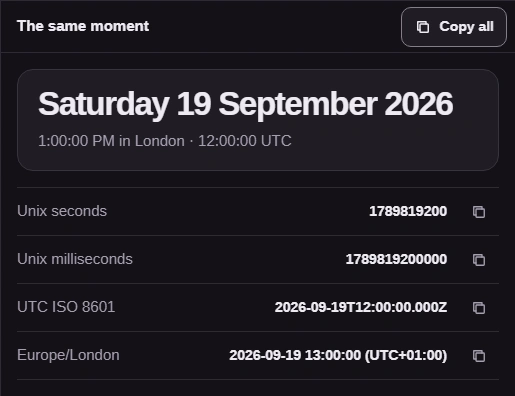
  3. Results: 1:00:00 PM in London, 12:00:00 UTC; UTC ISO 8601 2026-09-19T12:00:00.000Z; Europe/London 2026-09-19 13:00:00 (UTC+01:00).
    Results: 1:00:00 PM in London, 12:00:00 UTC; UTC ISO 8601 2026-09-19T12:00:00.000Z; Europe/London 2026-09-19 13:00:00 (UTC+01:00).
    Step 3. The UTC ISO 8601 row keeps 12:00 whatever Zone says. Zone changes only the local readings: the time under the date and the zone's own row.
    1. 1:00 PM in London is 12:00 UTC.
    2. The moment itself: 12:00 UTC.
    3. London's clock reads 13:00.

An offset fits that one date only. For a future appointment in a place that changes its clocks, keep the place's zone name too; the guide to Unix timestamps, ISO dates and time zones explains why.

Which Zone should you pick for a date with no Z or offset?

A date like 2026-09-19 12:00 says noon, but not whose noon. FluffyBench reads it on the Zone clock, which starts on your browser's zone, so pick the zone of whoever wrote the date.

Watch the same text turn into two different moments as Zone changes from New York to London.
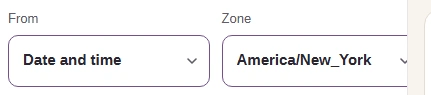
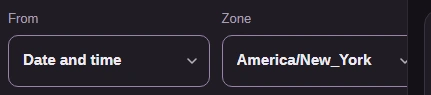
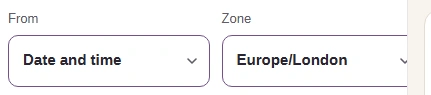
  1. From is set to Date and time and Zone to America/New_York.
    From is set to Date and time and Zone to America/New_York.
    Step 1. Choose Date and time in From, then the zone the date was written in. New York first.
    1. From: Date and time.
    2. Zone: America/New_York.
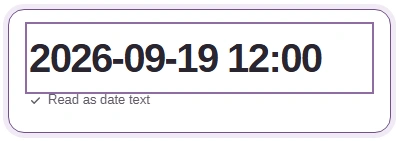
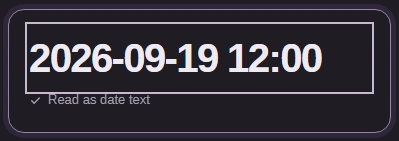
  2. The Timestamp or date box holds 2026-09-19 12:00, read as date text.
    The Timestamp or date box holds 2026-09-19 12:00, read as date text.
    Step 2. Type the date as written. It has no Z and no offset, so Zone decides whose noon it is.
    1. Type 2026-09-19 12:00.
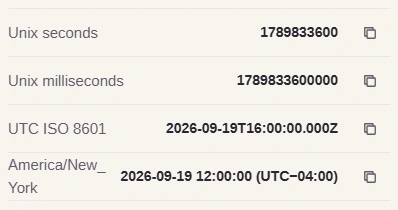
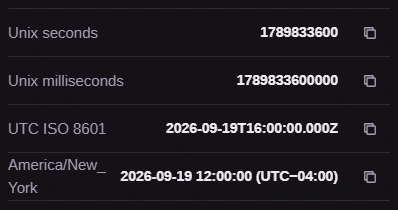
  3. Rows: Unix seconds, Unix milliseconds, UTC ISO 8601 2026-09-19T16:00:00.000Z and America/New_York 2026-09-19 12:00:00 (UTC−04:00).
    Rows: Unix seconds, Unix milliseconds, UTC ISO 8601 2026-09-19T16:00:00.000Z and America/New_York 2026-09-19 12:00:00 (UTC−04:00).
    Step 3. Noon in New York is 16:00 UTC.
    1. UTC ISO 8601: 16:00 UTC.
    2. This row is New York's clock.
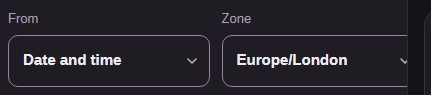
  4. Zone is now set to Europe/London, with From still on Date and time.
    Zone is now set to Europe/London, with From still on Date and time.
    Step 4. Now switch Zone to Europe/London and leave the text alone.
    1. Zone: Europe/London.
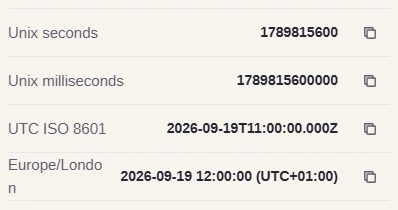
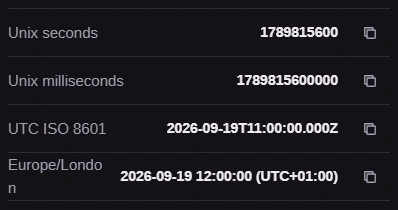
  5. Rows: Unix seconds, Unix milliseconds, UTC ISO 8601 2026-09-19T11:00:00.000Z and Europe/London 2026-09-19 12:00:00 (UTC+01:00).
    Rows: Unix seconds, Unix milliseconds, UTC ISO 8601 2026-09-19T11:00:00.000Z and Europe/London 2026-09-19 12:00:00 (UTC+01:00).
    Step 5. Same text, different moment: noon in London is 11:00 UTC, five hours before noon in New York.
    1. UTC ISO 8601: 11:00 UTC.
    2. This row is London's clock.

If clocks changed that night, a time can happen twice or not at all. The note under the converter then says which moment it shows.

What if FluffyBench shows a message instead of a date?

The results stay empty, and a message under the converter says why. Text FluffyBench can't read gets a list of the forms it accepts: Unix seconds, milliseconds, an ISO 8601 date like 2026-09-19T12:00:00Z, or a date like 2026-09-19 12:00. Check From too, since Unix seconds won't read a written date.

A number can also be too big. Browsers can show dates only within a fixed range around 1970, and a count past its edge gets a message instead of a date.
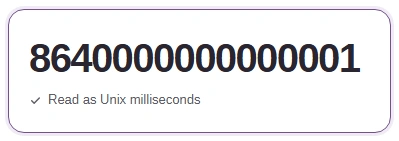
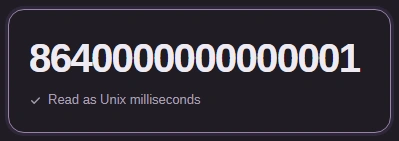
  1. The Timestamp or date box holds 8640000000000001, read as Unix milliseconds.
    The Timestamp or date box holds 8640000000000001, read as Unix milliseconds.
    Step 1. Auto reads this 16-digit number as milliseconds, and it lands past the last date a browser can show.
    1. Auto read it as milliseconds.
  2. The message under the converter reads: The timestamp is outside the browser date range.
    The message under the converter reads: The timestamp is outside the browser date range.
    Step 2. The message under the converter says what went wrong, and the results stay empty instead of showing a wrong date.
    1. Read the message here.

If your browser blocks copying, the message says so; select the result and copy it yourself.

Is your timestamp inside a login token?

Login tokens called JWTs carry their own times, such as exp, the moment the token expires, written in Unix seconds. FluffyBench's JWT Decoder opens the token so you can read those numbers; paste one back here with From on Unix seconds to see its date.

Need to inspect a timestamp inside a JWT?

Search FluffyBench