UUID generator

Make random version 4 UUIDs for database keys, test data and request IDs, one at a time or up to 100 at once.

FluffyShield Protected workspace
FluffyShield

Isolated workspace: other page scripts can't read your files. How FluffyShield works

Need a fresh ID for a record or a request?

Give it a UUID: a random ID you can paste straight into your app.

FluffyBench's UUID generator makes version 4 UUIDs in your browser, one at a time or up to 100 together.

How it works
  1. Copy the UUID that's already there
  2. Or set How many and generate a batch
  3. Copy all, or download the list

Made with browser cryptography

Your browser's own random source picks the random digits.

One or a hundred

Copy one UUID, copy the whole list, or save it as a text file.

Your app's spelling

Switch to capitals or drop the hyphens without changing the IDs.

Limits How many takes a whole number from 1 through 100.

What is a UUID for?

A UUID, short for universally unique identifier, is a label software attaches to a record or a request. Think of a shipping tag: it points to one box without describing what's inside. Database keys, test data and request IDs are typical uses.

Why not simply number things 1, 2, 3? A counter works when one place hands out every number. When more than one place creates records, it breaks.

Picture two people adding customers on different laptops while they're offline. With a counter, both laptops reach customer 42. With UUIDs, each laptop makes its own IDs without asking the other.

Left: laptop A and laptop B each give a new customer the number 42, and the merged list has two customers numbered 42. Right: laptop A gives its customer bce0d958-4850-40d3-a425-c36f31b5c7fb and laptop B gives its customer ed4d4aa0-8f78-4d54-b253-f53462653892, and the merged list keeps both.

Two offline laptops: a counter clashes, UUIDs don't

An illustration; the two UUIDs come from one batch FluffyBench made. How we measured

If people also need to recognize the item, keep a readable name next to its UUID.

A UUID is an ID, not a secret. It gets copied into links, logs and screenshots, so never use one as a password or an access token. For a secret, use FluffyBench's Secure random generator instead: it makes passwords, passphrases and hex tokens.

Need a secure random password or token?

Generate and copy UUIDs in FluffyBench

Here's the whole job, from the one UUID that's waiting for you to a batch of eight. Letters and Keep the hyphens only change how the UUIDs are written, so they're in the next section.
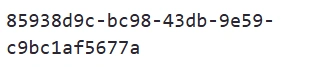
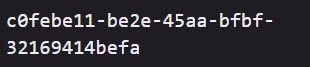
  1. One freshly made UUID in FluffyBench's UUID generator.
    One freshly made UUID in FluffyBench's UUID generator.
    Step 1. Need just one? FluffyBench makes a UUID as soon as the page opens.
    1. Your new UUID, ready to use.
  2. The Your UUID heading with a Copy button beside it.
    The Your UUID heading with a Copy button beside it.
    Step 2. Copy it, then paste it where your app asks for an ID.
    1. Copy puts the UUID on your clipboard.
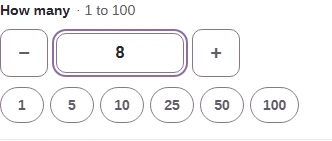
  3. The How many control set to 8, with minus and plus buttons and quick counts 1, 5, 10, 25, 50 and 100.
    The How many control set to 8, with minus and plus buttons and quick counts 1, 5, 10, 25, 50 and 100.
    Step 3. For a batch, set How many. A whole number from 1 to 100 works; anything else gets "Enter a whole-number count from 1 through 100."
    1. Type the count, or use − and +.
    2. A quick count makes that many at once, no Generate press needed.
  4. The button now reads Generate 8 new UUIDs.
    The button now reads Generate 8 new UUIDs.
    Step 4. The button repeats your count, so you can check it before you press.
    1. Press Generate 8 new UUIDs.
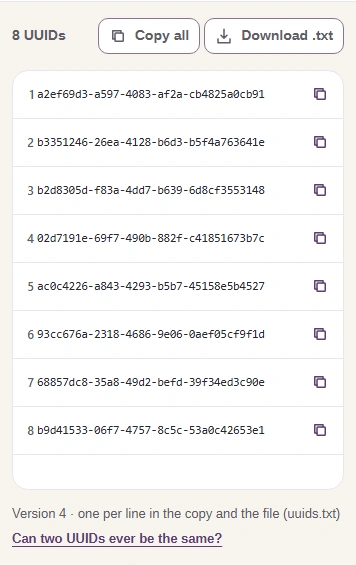
  5. The 8 UUIDs panel with eight UUIDs, one per row, each with its own copy button, plus Copy all and Download .txt buttons.
    The 8 UUIDs panel with eight UUIDs, one per row, each with its own copy button, plus Copy all and Download .txt buttons.
    Step 5. Each UUID gets its own row. Pressing Generate again replaces the whole list with new ones.
    1. Copy all copies the list, one UUID per line.
    2. Copy just this UUID.
    3. Download .txt saves the list as uuids.txt.

Match the UUID format your app expects

Most apps want a UUID the way FluffyBench first writes it: lowercase, with hyphens. Before you paste, check what yours asks for.

Here's a real UUID from FluffyBench. The hyphens split it into 5 groups, and one digit in the third group never changes.

The UUID bce0d958-4850-40d3-a425-c36f31b5c7fb drawn as 5 groups of 8, 4, 4, 4, 12 characters. The first digit of the third group, 4, is labelled "Version: always 4". The first digit of the fourth group, a, is labelled "Variant: 8, 9, a, or b". The other digits are random.

One UUID in 5 groups, with its version and variant digits marked

Read all five groups as one ID. The marked digits describe the UUID format, not the item it points to.

If your app asks for capitals or 32 characters instead of 36, change Letters or Keep the hyphens. Both rewrite the UUIDs already on screen without making new ones, so you can set them before or after you generate.
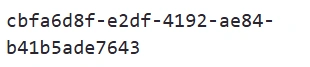
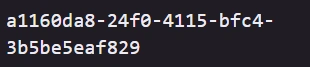
  1. A UUID in the standard spelling: lowercase letters with four hyphens.
    A UUID in the standard spelling: lowercase letters with four hyphens.
    Step 1. Here's a UUID as FluffyBench first writes it.
    1. Lowercase with hyphens: 36 characters.
  2. The Letters control with UPPERCASE chosen instead of lowercase.
    The Letters control with UPPERCASE chosen instead of lowercase.
    Step 2. If your app wants capitals, switch Letters.
    1. UPPERCASE writes a to f as A to F.
  3. The Keep the hyphens checkbox, now unticked.
    The Keep the hyphens checkbox, now unticked.
    Step 3. If your app stores UUIDs without hyphens, untick Keep the hyphens.
    1. Unticked: the four hyphens go.
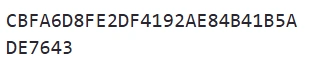
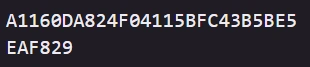
  4. The same UUID as in the first frame, now in capital letters with no hyphens.
    The same UUID as in the first frame, now in capital letters with no hyphens.
    Step 4. It's the same UUID, written differently. Copy and Download .txt use this spelling too.
    1. Capitals, no hyphens: 32 characters.

FluffyBench makes version 4 UUIDs only, so if an app asks for a different version, this generator won't fit. And if you're wondering whether two random UUIDs could ever match, our UUID collision guide explains the odds.

Search FluffyBench