
JavaScript regex: find a pattern, save the part you need
Need to pull order numbers from a page of text? A regular expression can find each order and save just the digits—here’s how patterns, groups, and flags fit together.
What are the pattern and the text?
A regular expression, or regex, describes the shape of text you want to find. Think of the pattern as a stencil and your text as the page behind it: JavaScript looks for places where the characters fit.
Start with a pattern that doesn't vary: order-2048 finds that exact order number inside a message.
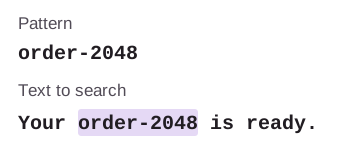
JavaScript regex example
Need to test a pattern against your own text?
See which text matches as you change the pattern.
How do you find any order number?
Most characters mean themselves; \d means a digit, and + means one or more. So order-\d+ finds order numbers without making you list every number in advance.
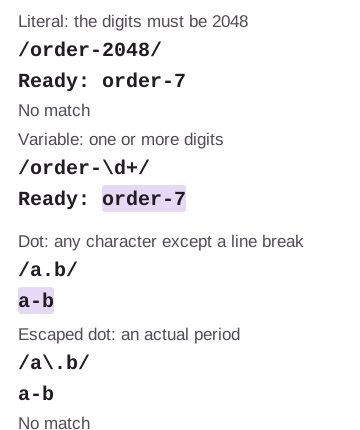
JavaScript regex example
\. means a literal period. How do choices, repeats, and boundaries work?
Square brackets choose one character from a set; a repeat symbol controls how many of the preceding character or group can fit. For example, [A-F]+ finds a run of letters from A through F.
![[A-F] highlights F in FACE; [A-F]+ highlights FACE. ab*c matches ac, ab+c matches abbc, and ab?c matches abc.](/images/standard/javascript-regex-patterns-flags-groups/choices-and-counts.svg)
JavaScript regex example
*: zero or more; +: one or more; ?: zero or one. To require the whole text to fit, add ^ at the start and $ at the end. These anchors mark positions; they don't consume letters.
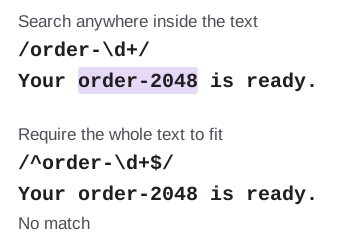
JavaScript regex example
Why does a pattern grab too much text?
Repeats are greedy: they take as much text as they can while letting the rest of the pattern match. Adding ? after a repeat makes it lazy, so it takes the shortest span that works.
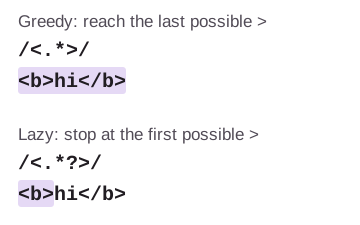
JavaScript regex example
>; the lazy repeat reaches the first one. How do you save just the order number?
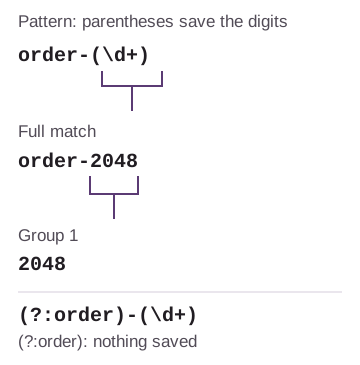
Put parentheses around the piece you want to save: order-(\d+) matches order-2048 and saves 2048 as Group 1. You don't need to split the match yourself.
JavaScript regex example
(?:...) groups pieces without saving another capture; grouping the literal word order is optional here. The full match still includes the word and hyphen. Captures give you extra pieces alongside it, numbered by the order of their opening parentheses. If you'll reuse several pieces, MDN’s groups reference also explains named groups.
What do flags change?
Flags are switches for how a pattern searches. In FluffyBench's Regex Tester, Ignore case (i) lets order-\d+ find ORDER-2048 too.
-
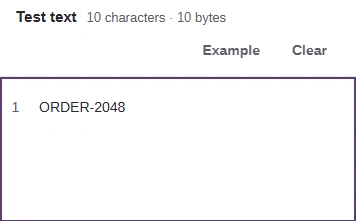
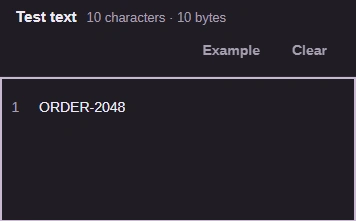
Step 1. The text is ORDER-2048. The lowercase pattern order-\d+ doesn't match it yet. - The text uses uppercase ORDER.
-
-
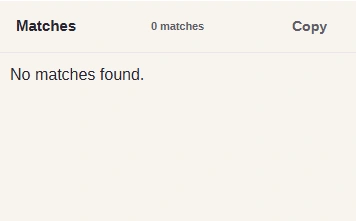
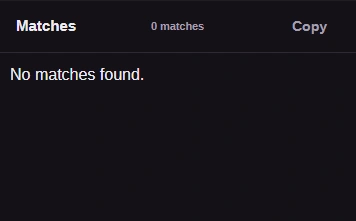
Step 2. With Ignore case off, no match is found. - No matches found: letter case differs.
-
-
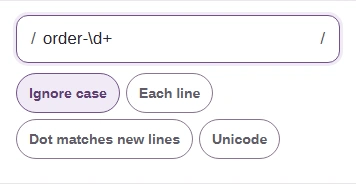
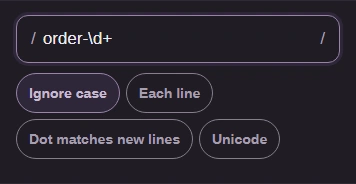
Step 3. Ignore case is the i flag: capitals and lowercase letters can match each other. - The pattern stays order-\d+.
- Turn on Ignore case.
-
-
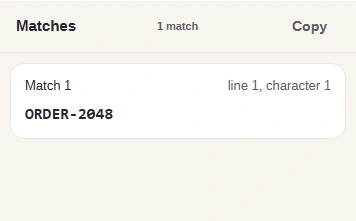
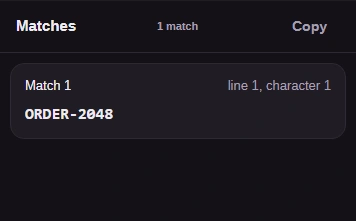
Step 4. The same text now matches. The result keeps the letters as they were written. - ORDER-2048 now matches.
-
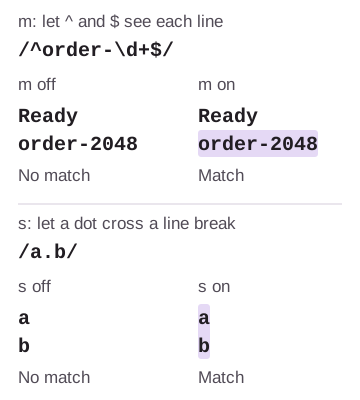
The m flag lets anchors work at line boundaries; s lets a dot match a line break. FluffyBench labels them Each line and Dot matches new lines.
JavaScript regex example
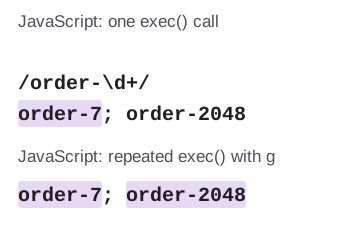
In JavaScript code, g lets repeated exec() calls move through successive matches. Without flags, each call starts its search from the beginning.
JavaScript regex example
Unicode and less common flags have their own details. For text with emoji or combined characters, the Unicode, UTF-8 and UTF-16 guide explains why a visible symbol isn't always one JavaScript text unit.
Doing it in FluffyBench Regex Tester
FluffyBench's Regex Tester helps you check what a pattern finds and which pieces it saves. A matching order and a near miss make the difference easy to see.
Here's the whole job, from entering your pattern to copying the saved number alongside its full match.
-
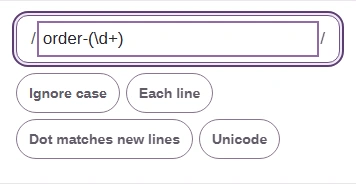
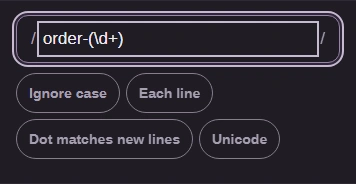
Step 1. Enter order-(\d+) between the slashes. Leave the options off for this example. - Enter order-(\d+) as the pattern.
-
-
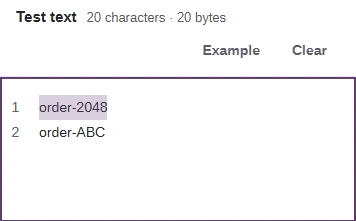
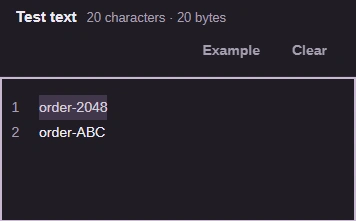
Step 2. Enter order-2048 and order-ABC on separate lines. The numeric order matches; the letters don't. - Put a match and a near miss in Test text.
-
-


Step 3. On a phone, open Matches to see the result. Short examples update live. - Open Matches.
-
-
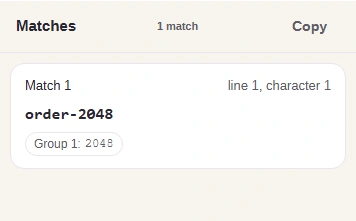
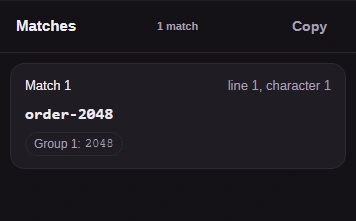
Step 4. Check the full match and Group 1. Copy saves a numbered text list of matches and captures to your clipboard. - The full match is order-2048.
- Group 1 is the saved number: 2048.
- Copy the match list.
-
When a pattern comes from another language, its syntax may differ. The MDN JavaScript regex guide is the reference for the JavaScript form; FluffyBench's Regex Tester page explains messages for invalid or long-running patterns.