
What happens to the layers you don't export?
They stay in your KRA or ORA project. Exporting gives you a separate picture or set of images—and an OpenRaster export can include a note hidden from the finished picture.
What is inside a KRA or ORA project?
Think of layers as clear sheets stacked on a desk: you can move a drawing on one sheet without repainting the others. A KRA or ORA project keeps those pieces separate, along with a saved picture of the whole stack. That finished picture is called the merged image.
A finished-image export uses the saved picture, so FluffyBench doesn't need to rebuild the scene from its layers.
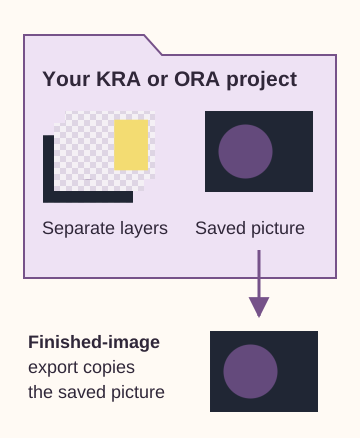
Project parts and a finished-image export
KRA is Krita's project format; ORA is OpenRaster, a format for exchanging layered images. Both pack the project's parts into one file.
What do KRA and ORA exports include?
Ordinary KRA and ORA conversion returns the saved merged picture as a PNG. For ORA, FluffyBench's Image extractor also gives you a choice: One image per file returns that picture; Everything inside returns it plus every stored PNG layer.
Here's a small OpenRaster project with two visible layers and a hidden note, alongside the two sets of images you can extract.
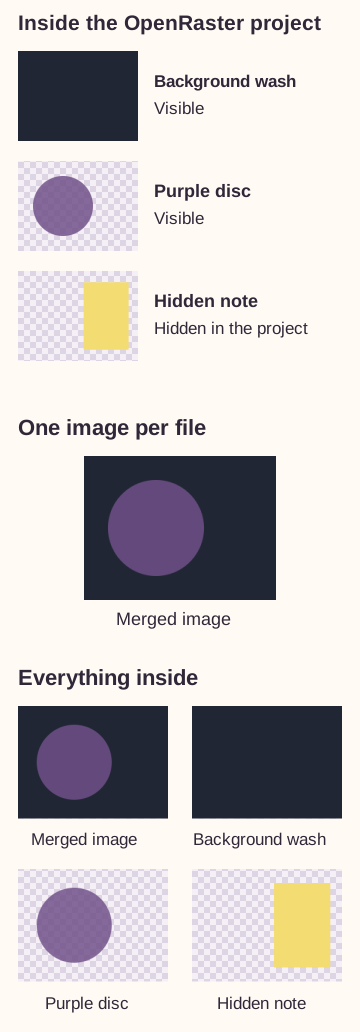
The project layers and both output choices
Which layered-image output should you choose?
Choose by what you'll do next: carry on editing, share the finished picture, or work with separate OpenRaster images.
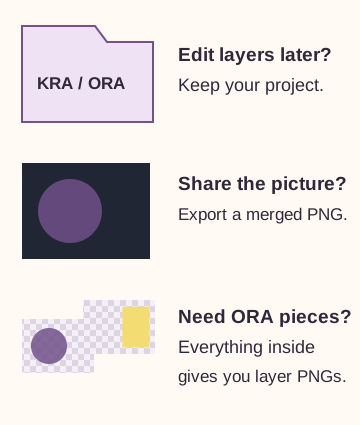
Three uses, three file choices
An export checks the data it needs. Everything inside unpacks the PNG layers and checks their headers; it doesn't fully decode every layer's pixels as a project-health check.
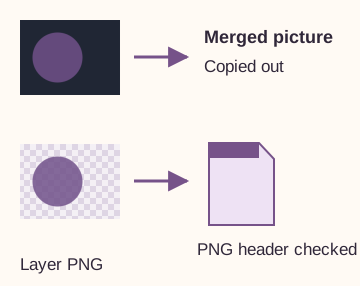
Copying images and checking headers
Doing it in FluffyBench: export OpenRaster images
Use FluffyBench's Image extractor when you need images from an ORA project. Start with Everything inside to get the picture and its PNG layers.
-


Step 1. Choose your ORA project from your device. - Choose files opens the file picker.
-
-


Step 2. Choose Everything inside for the merged picture and PNG layers. - Select Everything inside.
-
-


Step 3. Press Extract. - Extract creates the requested PNG files.
-
-
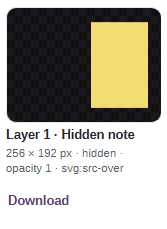
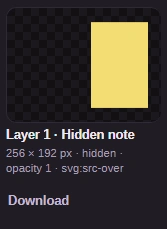
Step 4. The Hidden note has its own PNG. Check the preview and dimensions; Download saves this image. - Check the extracted layer picture.
- Check the pixel size and hidden label.
- Download saves this layer PNG.
-
-


Step 5. Use Download all (ZIP) for all the extracted images together. - Download all (ZIP) bundles every result.
-
If you need the finished picture by itself, the same ORA goes through the shorter One image per file path.
-


Step 1. For a finished picture, choose One image per file after adding your ORA. - Select One image per file.
-
-


Step 2. Press Extract with that choice selected. - Extract returns the saved merged picture.
-
-
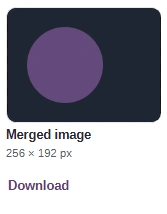
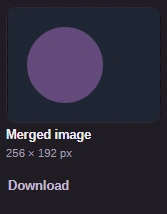
Step 3. You get the saved picture, with no separate layer images. Save it using the same Download link shown above. - Check the finished picture.
- Check its pixel dimensions.
-
FluffyBench's Image extractor saves the merged picture or all PNG layers from your ORA project.
How we reviewed layered-image exports
A historical FluffyBench reader update preserved the exported files byte for byte while opening fewer files inside KRA projects. These counts refer to files packed inside each project.
| Setting | Earlier reader | Updated reader | What it measures |
|---|---|---|---|
| 2017-10-11_run.kra — archive files opened | 88 members | 3 members | The large Krita project. |
| E40P05.kra — archive files opened | 25 members | 3 members | A smaller Krita project. |
| 2014-07-01_concept-art_Pepper.kra — archive files opened | 15 members | 3 members | A second smaller project. |
| 2017-10-11_run.kra — declared unpacked size | 207.8 MiB | 14 MiB | Declared uncompressed size of the files read. |
| 2017-10-11_run.kra — minimum conversion time | 2,211 ms | 271 ms | Shortest of five historical runs. |
The comparison covered the KRA merged PNG, ORA merged picture, PNG layers and layer count. Returned image bytes matched across the reader change. Repeating ORA extraction after Clear and KRA conversion after Reset also produced matching output hashes. Each worker setting passed 40 checks, split evenly between KRA and ORA.
In the large KRA, peak Node array-buffer memory growth changed from 402.2 MiB to 196 MiB. The historical test-only KRA-to-PNG page changed from 5,802 ms to 2,025 ms in Chromium, and from 7,539 ms to 2,592 ms in Firefox.