SHA-256 and SHA-512 checksum

Check that a download arrived intact: drop the file, paste the checksum from the website, and see if they match.

FluffyShield Protected workspace
FluffyShield

Isolated workspace: other page scripts can't read your files. How FluffyShield works

How can you check whether a download changed?

Does your download match the publisher’s copy? FluffyBench’s Hash Checksum compares their checksum with your local file’s fingerprint, without uploading the file.

How does a download checksum check work?

Think of a checksum as a fingerprint made from a file’s contents. Compare the publisher’s fingerprint with one calculated from your download, using the same recipe (the hash algorithm).
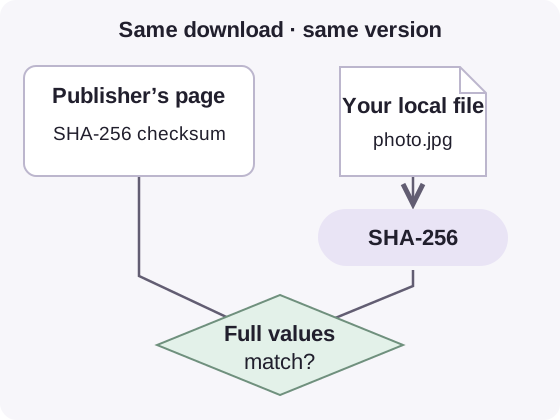
The publisher’s SHA-256 checksum and your local photo.jpg hashed with SHA-256 meet at a comparison of the full values, for the same download version.

Two paths to a checksum comparison

  1. A reference you trust

    The publisher’s checksum must belong to the exact file version you downloaded.

  2. The same algorithm

    SHA-256 and SHA-512 are different recipes; compare like with like.

  3. Compare the full values

    A filename can stay the same when the contents change. The fingerprint comes from the contents.

The same bytes and the same algorithm produce the same checksum. How we reviewed

Why does a tiny text edit change its SHA-256 checksum?

Changing the text abb to abc changes just 1 input bit, yet nearly every character in its SHA-256 fingerprint changes. That’s why even a tiny edit can be easy to spot in a checksum comparison.
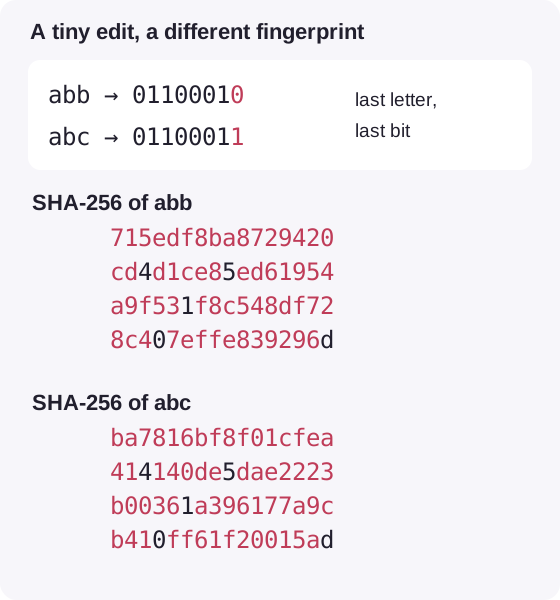
The final letters b and c end in different bits. All characters of both SHA-256 outputs are visible; 59 hexadecimal characters differ.

One changed input bit, two complete SHA-256 results

  1. One input bit changes

    A bit is a single 0 or 1. The final bit of b changes to make c.

  2. Both full checksums

    Red marks the 59 hexadecimal characters that differ, out of 64 in each result.

  3. A comparison, not a repair

    The checksum reveals a difference; it doesn't locate or repair the edit.

Recorded text examples, reflowed for phone screens. The two outputs use the same SHA-256 algorithm.

Check a download in FluffyBench

Here’s the file check in FluffyBench’s Hash Checksum, demonstrated with a sample photo and a checksum calculated from that same file.
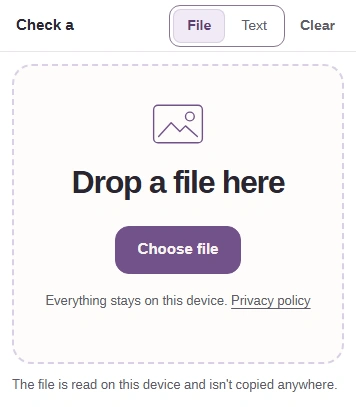
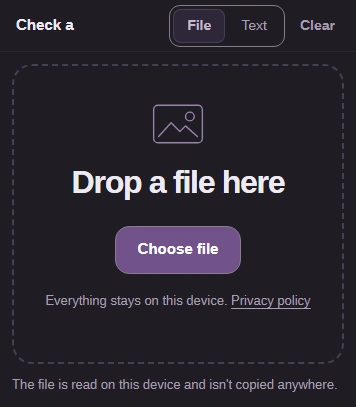
  1. File tab and Choose file button in FluffyBench Hash Checksum.
    File tab and Choose file button in FluffyBench Hash Checksum.
    Step 1. Choose File, then Choose file to open your download. It stays on your device.
    1. Use File for a download.
    2. Choose file opens your device’s picker.
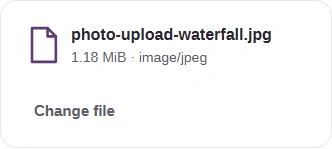
  2. Selected photo-upload-waterfall.jpg with its file size and Change file button.
    Selected photo-upload-waterfall.jpg with its file size and Change file button.
    Step 2. Check the selected filename and size. Change file replaces the input if you picked the wrong download.
    1. This is the file being checked.
    2. Check the selected file’s size.
    3. Change file opens the picker again.
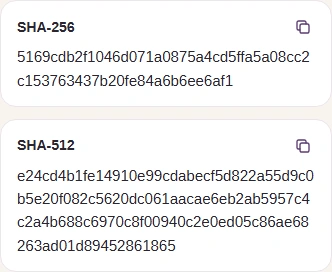
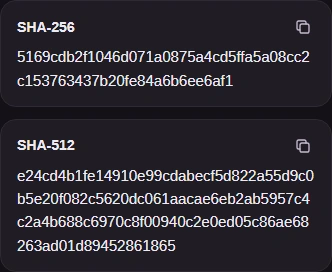
  3. The two completed checksums for photo-upload-waterfall.jpg.
    The two completed checksums for photo-upload-waterfall.jpg.
    Step 3. File selection starts hashing automatically. SHA-256 and SHA-512 appear together; there’s no Calculate button.
    1. SHA-256 is the shorter result.
    2. SHA-512 is the longer result.
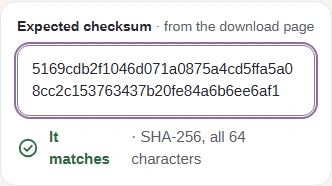
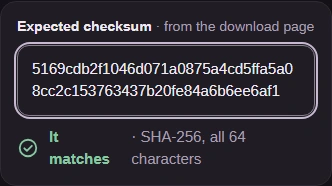
  4. Expected checksum and It matches verdict for the waterfall photo.
    Expected checksum and It matches verdict for the waterfall photo.
    Step 4. Paste the publisher’s checksum for the exact file version. Its length chooses the comparison: 64 hexadecimal characters for SHA-256, 128 for SHA-512. Uppercase letters work too.
    1. Paste the expected checksum here.
    2. It matches confirms every character agrees.
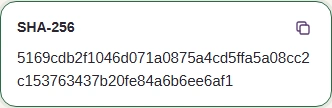
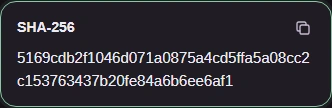
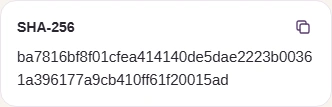
  5. Completed SHA-256 digest with its Copy button.
    Completed SHA-256 digest with its Copy button.
    Step 5. Need to share a SHA-256 checksum? Copy beside SHA-256 copies the full result as text. If Copy is unavailable, select and copy the displayed result.
    1. Copy SHA-256 copies this result.

What do matching and different checksums mean?

These text demonstrations keep abc as the input and change the expected checksum. The verdict distinguishes a match, a difference and an unusable reference.
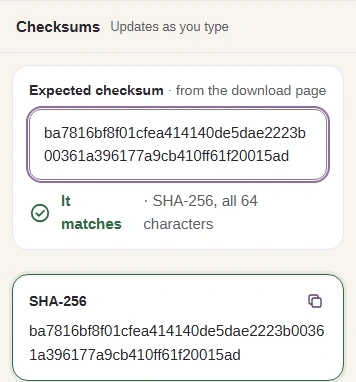
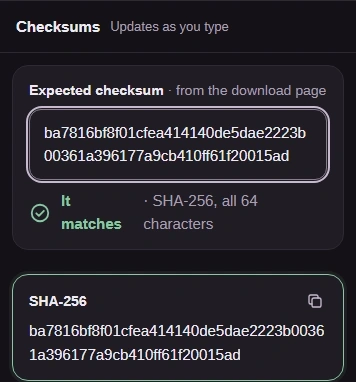
  1. abc compared with the recorded SHA-256 checksum for abc: It matches.
    abc compared with the recorded SHA-256 checksum for abc: It matches.
    Step 1. It matches: the abc text and its recorded reference agree. A match compares contents; it doesn’t identify the publisher or establish that a download is safe.
    1. The reference is the SHA-256 checksum for abc.
    2. It matches means the full checksums agree.
    3. Compare this calculated SHA-256 result with the reference above.
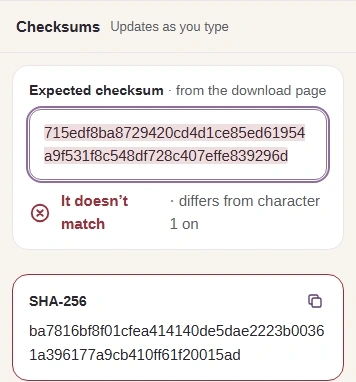
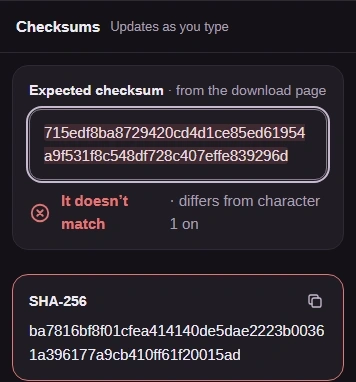
  2. abc compared with the recorded SHA-256 checksum for abb: It doesn’t match.
    abc compared with the recorded SHA-256 checksum for abb: It doesn’t match.
    Step 2. It doesn’t match: abc is still the input, now compared with the reference for abb. For a download, check the version and the copied reference before relying on the file.
    1. The reference now belongs to abb.
    2. The verdict reports where disagreement starts.
    3. Compare this calculated SHA-256 result with the reference above.
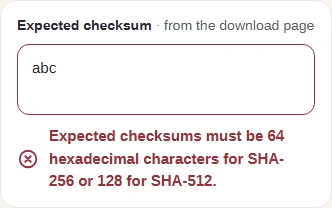
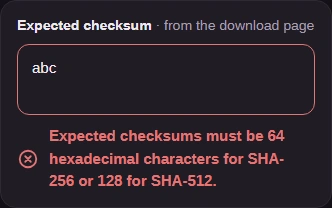
  3. A three-character reference is refused with the checksum length message.
    A three-character reference is refused with the checksum length message.
    Step 3. A length warning means the reference can’t be compared. Paste just the digest, without a filename or algorithm label. MD5 and SHA-1 references won’t work here.
    1. abc is too short to be an expected checksum.
    2. The warning gives the accepted lengths.

Check text in FluffyBench

Checking a piece of text? Text mode hashes what you type as UTF-8, the byte representation of that text.


  1. Text tab selected in FluffyBench Hash Checksum.
    Text tab selected in FluffyBench Hash Checksum.
    Step 1. For a text reference, choose Text instead of File.
    1. Text opens the text editor.
  2. Text to hash contains abc.
    Text to hash contains abc.
    Step 2. Type or paste the exact text. Spaces, punctuation and line breaks count; the checksum updates as you type.
    1. Enter the text you want to hash.
  3. Calculated SHA-256 value for the recorded abc text example.
    Calculated SHA-256 value for the recorded abc text example.
    Step 3. The SHA-256 result for abc is ready to compare or copy. SHA-512 is calculated too.
    1. This is the full SHA-256 result for abc.
    2. Copy SHA-256 copies the result as text.
Search FluffyBench