
What does a checksum or signature prove?
A download's checksum can match perfectly without telling you who made it. Here's what that match proves, and what a signature adds when you trust the publisher's key.
What is a hash?
A hash is a fingerprint for a file. A hash function reads the file's bytes—the small units of information it's stored as—and produces a fixed-size result called a digest. The same bytes and algorithm give you the same digest every time.
Here's FluffyBench hashed with SHA-256, then FluffyBenck: changing the last letter changes most of the fingerprint.

One changed letter, two full digests
- FluffyBench
The first input and its full fingerprint.
- FluffyBenck
The changed input and its full fingerprint.
- Changed positions
Underlines mark characters that differ.
When does a checksum match matter?
A fingerprint becomes useful when you have something to compare it with. A publisher may list a checksum for a download, often a SHA-256 digest. With a well-designed cryptographic hash, a matching digest is strong evidence that your copy has the bytes described by that reference. Finding different files with the same digest is meant to be impractical.
For FluffyBench.txt, the expected digest and the digest calculated from the local file agree. A publisher-style checksum line puts the digest first, then two spaces and the filename.

Expected and calculated SHA-256
- Expected line
The reference pairs a digest with its filename.
- Calculated
The digest made from the local file.
- Comparison
OK means the full digests agree.
The reference's source matters. Someone who can replace a download and the checksum on its page can make them agree. Your trust in that source is what makes the comparison useful; a match doesn't identify who supplied it.
What does a digital signature add?
A digital signature connects the signed bytes to a signing key. Think of the private key as a seal the publisher holds, and the matching public key as the reference anyone can use to check that seal.
A valid signature means the file's contents match what that key signed. Connecting the public key to the publisher is a separate part of the trust decision.

Signature verification and key ownership
- Private key
Used to create the signature.
- Public key
Used to check the signature.
- Key ownership
The identity connection needs its own trusted source.
Doing it in FluffyBench: check a download's checksum
FluffyBench's Hash Checksum compares your local file with an expected digest. Have the publisher's checksum for your exact download version from a source you trust; here's the workflow with FluffyBench.txt.
-
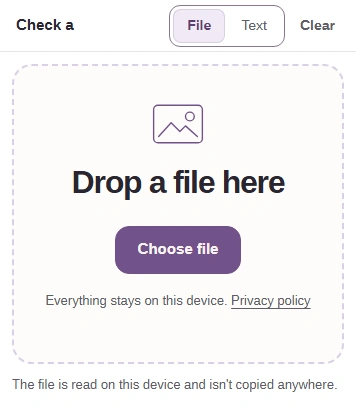
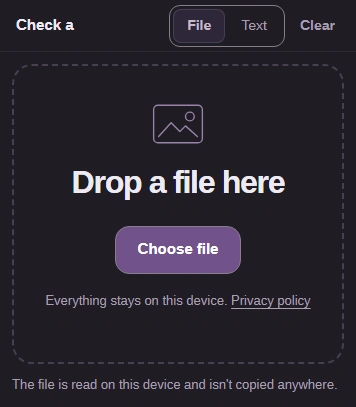
Step 1. Use File and Choose file to open your download. FluffyBench reads it on your device. - Use File for a download.
- Choose file opens your device’s picker.
-
-
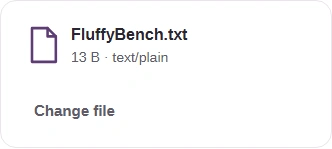
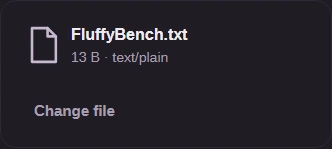
Step 2. Check the filename and size. Choosing a file starts hashing automatically. - Confirm the selected filename and size.
-
-
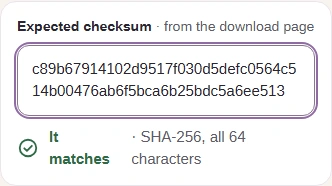
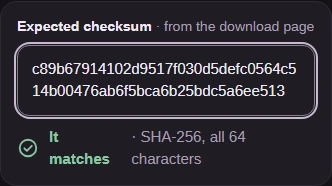
Step 3. Paste the digest from your trusted reference into Expected checksum, without the filename. Its length chooses SHA-256 or SHA-512; It matches appears automatically when the values agree. - Paste the expected checksum here.
- It matches confirms that the full digests agree.
-
-
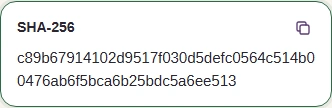
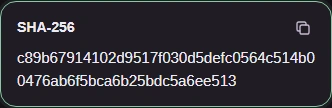
Step 4. Copy SHA-256 copies the calculated digest if you need to share it. - Copy SHA-256 copies this result.
-
A match or a valid signature doesn't establish that software is safe to run. FluffyBench compares digests; it doesn't verify signatures or certificates, identify a publisher, or scan for malware.
If the publisher supplies a signature, follow their verification instructions using a public key you can connect to them. That's a separate check outside FluffyBench.
If the digests differ, the selected file, algorithm, or reference may belong to a different download or version. A length or hexadecimal-character error means the pasted reference isn't a usable digest; the filename doesn't belong in Expected checksum.