
What does “LF will be replaced by CRLF” mean?
Git plans to change the invisible markers between lines when it writes a file back to your folder. Your words stay the same.
It's a heads-up, not an error. Here's when the change happens and how to decide whether you need to do anything.
What is a line ending?
Think of a line ending as a tiny stop sign between one line and the next. Your editor turns it into a break on screen, so you usually don't see the marker itself. LF means line feed; CRLF means carriage return followed by line feed. Both tell the editor to start a new line.
Save Hello and World with LF or CRLF and the words look the same. The highlighted markers are what changes inside the file.

Unix and macOS conventionally use LF; Windows conventionally uses CRLF. An editor can save either style, so the computer a file came from isn't enough to tell you which endings it has. Git notices the difference because it reads the stored text, including those invisible markers.
What does Git's 'LF will be replaced by CRLF' warning mean?
Git is telling you how it will write a file back to your working folder: the copy you edit. It can keep LF in the repository, your saved project history, and write CRLF when it checks that saved copy out. The warning names that future conversion:
warning: in the working copy of 'note.txt', LF will be replaced by CRLF the next time Git touches it
With Git's autocrlf setting set to true, note.txt follows this path. Running git add leaves the working-folder file as it is.

A file with mixed LF and CRLF endings can be converted to one style, so its original mix may not come back. That matters when you need the exact saved bytes, even though the words look unchanged.
What should you do about Git's line-ending warning?
Check the project's .gitattributes rules before changing a personal Git setting. This small text file travels with the project and can tell everyone's Git how to handle endings. You don't need to convert a file by hand just because Git printed a warning.
For a shared project, use its existing rule to decide what to do. These example patterns show how a team can separate stored text, checkout endings and files whose bytes must stay untouched.

Doing it in FluffyBench: inspect and convert a file
For a one-off text file, FluffyBench's text cleaner makes the invisible endings visible and can turn every break into LF or CRLF. Choose the style your project or receiving app asks for; neither is a better version of your words.
Here's a saved file with mixed endings, converted to CRLF. Choose LF line endings in the same picker when you need LF.
-
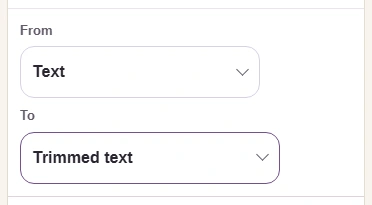
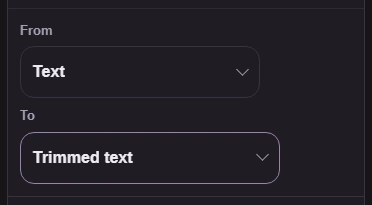
Step 1. Start in FluffyBench’s text cleaner. Leave From on Text and open To. - From: Text is the input type.
- Open To to choose the line endings.
-
-
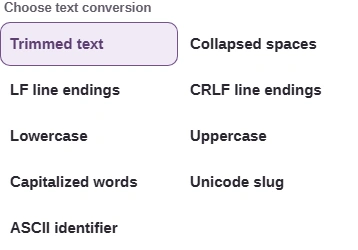
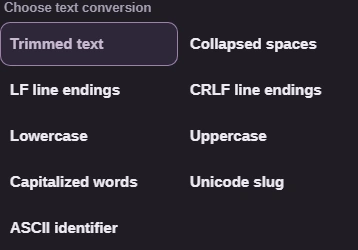
Step 2. Choose the endings your project or destination expects. This walkthrough uses CRLF. - LF line endings puts LF at each break.
- Choose CRLF line endings for CR followed by LF.
-
-
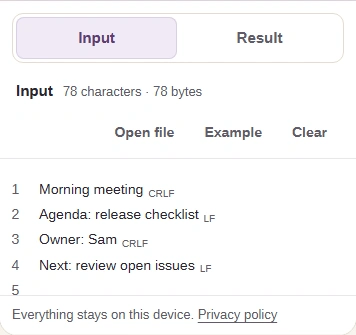
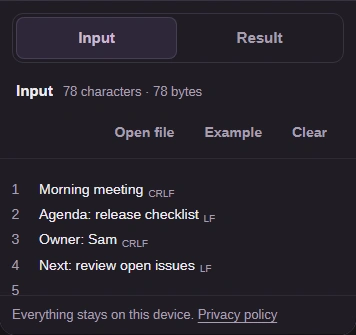
Step 3. Use Open file to inspect saved endings; pasting turns incoming breaks into LF. Keep the original if you need its exact mix. Small files convert automatically, including lone CR breaks. - Open file reads a UTF-8 text file from your device.
- The marks show the saved mixture of LF and CRLF.
- Open Result to see the converted text.
-
-
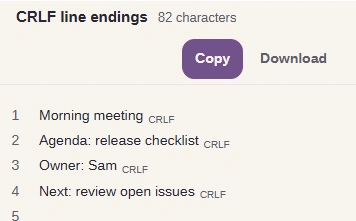
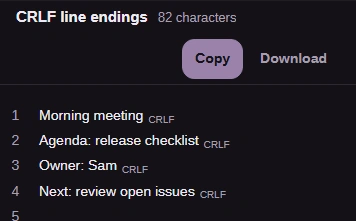
Step 4. Check the words, CRLF marks and character count, then Download. Download saves the chosen line-ending bytes; a clipboard paste can be changed by the receiving app. - Every converted break is marked CRLF.
- The readout counts characters in the converted text.
- Download saves the CRLF file to your device.
-
If Open file reports invalid UTF-8, the file needs to be saved as UTF-8 before FluffyBench can open it. The file picker also has a size limit; its message tells you when a file is too large. Those are file-opening limits, not a reason to paste text when you need to inspect its saved endings.
Open FluffyBench's text cleaner to check your own file.
How do Git's line-ending settings differ?
If you're checking a personal Git setting, autocrlf has three common values. Project rules in .gitattributes can request conversion even when this setting is false; text detection and existing repository contents also affect which files Git converts.
For text Git converts, read each setting in two directions: into Git, then back into the working folder. The rows describe the personal setting without a project rule overriding it.

input, a CRLF file can get the reverse warning: 'CRLF will be replaced by LF.'