
Remove image metadata
Remove private metadata from JPG, PNG, and WebP images in a local batch.
FluffyShield Protected workspace
Remove private metadata from JPG, PNG, and WebP images in a local batch.
Takes out camera, location, date and comment notes that FluffyBench recognizes.
A JPG stays a JPG, and the picture isn't saved again.
Your images are read and cleaned in your browser and stay on this device.
Limits Works with JPG, PNG, and WebP files.
Yes. Sharing a photo can also share notes hidden inside the file, like the camera model, when it was taken, or even where. FluffyBench Remove Image Metadata takes out the notes it recognizes in JPG, PNG, and WebP files, right in your browser, and leaves every pixel of the picture alone.
Metadata is like a sticky note on the back of a printed photo. It can name the camera, record the time, hold a comment, or give a location. You don't see it when you look at the picture, but it travels with the file when you share it. FluffyBench peels those notes off without saving the picture again. That matters for JPGs, because each new JPG save compresses the picture once more and can soften fine detail.
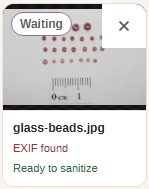
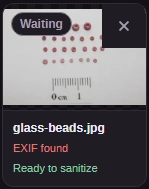
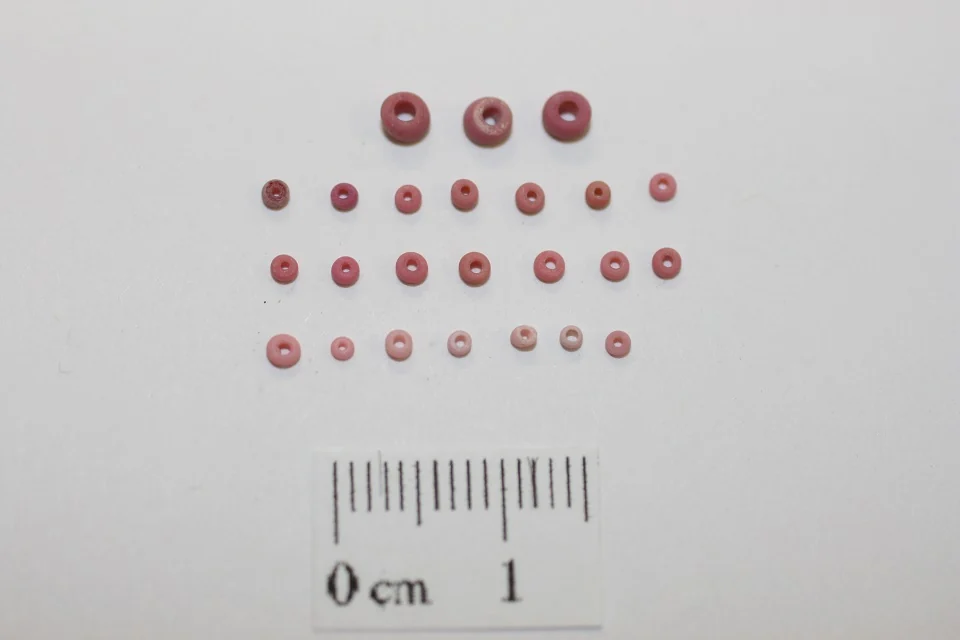
Here's a museum photo of glass beads before and after FluffyBench cleaned it. Look at the notes under each copy, then at the beads.

The same photo before and after cleaning
Here's the whole job, from adding photos to saving the clean copies. Your files stay on your device the entire time.




Camera and location notes go. Anything that changes how the picture looks on screen stays, such as the color profile. For what each kind of note can reveal, read the image metadata guide.
Each format stores its notes differently, so FluffyBench has a list for each one. Here's what goes and what stays.

What FluffyBench removes and keeps in each format
After Sanitize all, don't judge by file size: a file with nothing to remove comes back the same size. Read the two status lines on each file's tile instead.
Here are two photos after Sanitize all, one with camera notes and one without. The first line under each name is what FluffyBench found; the second is what happened.
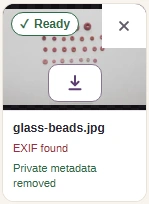
A photo with camera notes
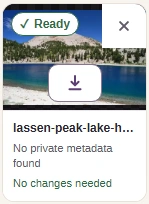
A photo with nothing to remove
A status covers the kinds of notes on FluffyBench's remove list for that format. If one detail really matters, such as a location, open the saved copy in a metadata viewer before you share it.
This tool works with JPG, PNG, and WebP images, not PDFs, documents, audio, or video. If your file is too big to send, removing notes won't shrink the picture; FluffyBench Image Space Saver can resize or compress it, which does change the image.
A JPG file is a row of blocks. The camera notes sit in their own block near the start, separate from the picture data.
83.5 KB → 75.0 KB; 8.5 KB removed, matching the APP1 segment length. 0 of 614,400 decoded pixels changed.
| Segment | Offset | Bytes |
|---|---|---|
| SOI | 0 B | 2 B |
| APP0 / JFIF | 2 B | 18 B |
| APP1 / EXIF | 20 B | 8.5 KB |
| DQT | 8.5 KB | 69 B |
| DQT | 8.6 KB | 69 B |
| SOF0 | 8.7 KB | 19 B |
| DHT | 8.7 KB | 33 B |
| DHT | 8.7 KB | 183 B |
| DHT | 8.9 KB | 33 B |
| DHT | 8.9 KB | 183 B |
| SOS | 9.1 KB | 14 B |
| Scan data | 9.1 KB | 74.3 KB |
| EOI | 83.5 KB | 2 B |
| Segment | Offset | Bytes |
|---|---|---|
| SOI | 0 B | 2 B |
| APP0 / JFIF | 2 B | 18 B |
| DQT | 20 B | 69 B |
| DQT | 89 B | 69 B |
| SOF0 | 158 B | 19 B |
| DHT | 177 B | 33 B |
| DHT | 210 B | 183 B |
| DHT | 393 B | 33 B |
| DHT | 426 B | 183 B |
| SOS | 609 B | 14 B |
| Scan data | 623 B | 74.3 KB |
| EOI | 75.0 KB | 2 B |
We also cleaned a PNG and a WebP that we built with camera details, notes and a color profile.
| Setting | Input bytes | Output bytes | Width | Height | Changed pixels | What changed |
|---|---|---|---|---|---|---|
| NPS camera JPEG with EXIF | 83.5 KB83,476 bytes | 75.0 KB74,968 bytes | 960 px | 640 px | 0 pixels | Removed EXIF Make, Model, DateTimeOriginal, ExposureTime, and FNumber; retained JPEG image data, JFIF marker. 0 of 614,400 decoded pixels changed. |
| Test PNG with camera details and text | 1.4 KB1,410 bytes | 747 B747 bytes | 64 px | 48 px | 0 pixels | Removed Make, Model, capture time, orientation, GPS, text comment; retained ICC. 0 of 3,072 decoded pixels changed. |
| Test WebP with camera details and XMP | 1.4 KB1,438 bytes | 902 B902 bytes | 64 px | 48 px | 0 pixels | Removed Make, Model, capture time, orientation, GPS; retained ICC. 0 of 3,072 decoded pixels changed. |
_(2bac69a4-1dd8-b71b-0b7e-76710d634d00).jpg)
