
Why does encoded text take more bytes than the original?
Your text can get bigger without gaining any information. Encoding needs extra room to spell the same data as text—here's why, and how to check whether the result fits.
Why does encoding make text bigger?
Encoding writes your data with a restricted alphabet so it can travel through places that expect text. Think of writing a number as ‘8’ or ‘eight’: the value stays the same, and the longer spelling takes more room. Your data hasn't gained anything; you've changed how it's written.
An input byte holds eight bits, the tiny on-or-off pieces of data. A Base64 character carries six, so the same bits need more characters to hold them.
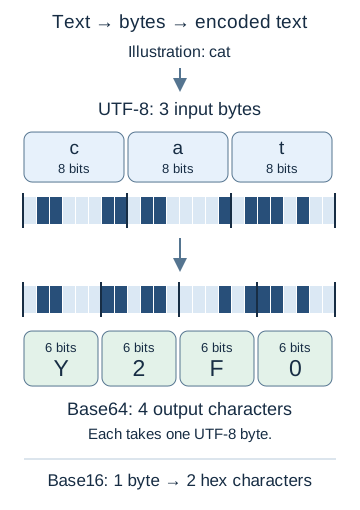
Illustration: regrouping the same bits
UTF-8 is the way text becomes bytes before encoding. Our Unicode guide explains how it counts letters and emoji. For more on why apps use a text spelling of data, see how Base64 works.
A character limit and a byte limit aren't the same thing: letters, accents and emoji can take different amounts of room in UTF-8. FluffyBench's Base encoder shows both counts beside Input.
-
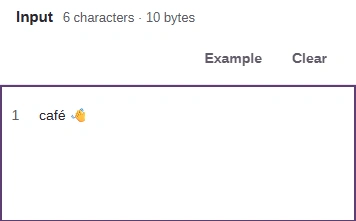
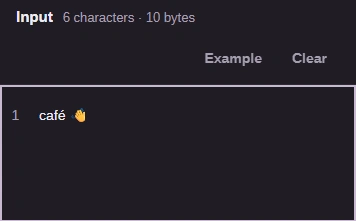
Step 1. The accent and emoji take extra UTF-8 bytes before encoding even starts. - An accent and an emoji are part of the text.
- Compare the character count with the byte count.
-
After encoding to Base16, Base64 or Bitcoin Base58, every output character is ASCII and takes one UTF-8 byte. That makes the result's character count a byte count too.
How much bigger are Base16, Base64 and Base58?
For a long piece of text, Base16 doubles the bytes, Base64 adds about 33% and Base58 a little more. A short word like hello grows by a different share, because Base64 pads its last group.
Base64 writes 4 characters for each group of up to 3 input bytes. A short final group ends with padding (=), which counts toward your limit too.
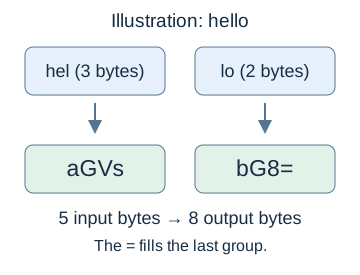
Illustration: hello in Base64
What should you check when there's a byte limit?
The receiving app's format rule comes first: a smaller encoding won't help if the app can't read it. Compare sizes when the app lets you choose.
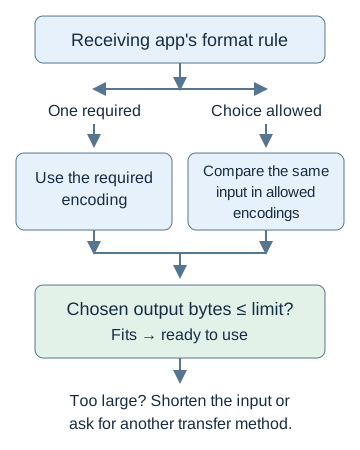
Format choice and size check
Need to compare the size of encoded text?
Doing it in FluffyBench: check your encoded size
FluffyBench's Base encoder lets you check your own text against a destination's limit. Here's hello in Base64; short inputs update automatically.
-
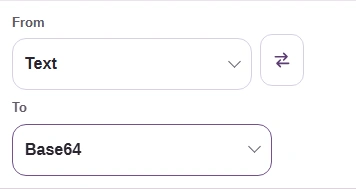
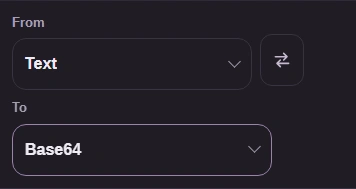
Step 1. Choose the representations your destination asks for. - Choose From: Text.
- Choose To: Base64.
-
-
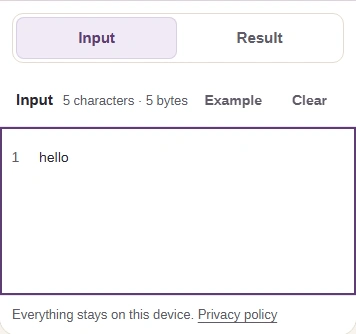
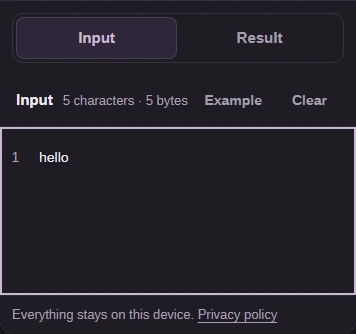
Step 2. Paste your text in Input; a short input updates automatically. Open Result on a phone. - Paste your text here.
- Read the input characters and UTF-8 bytes.
- Open the Result tab.
-
-
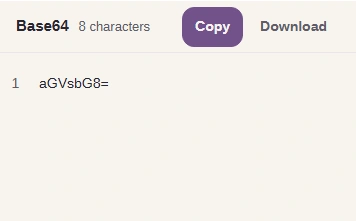
Step 3. Check the result: 8 Base64 characters means 8 UTF-8 bytes. Compare that count with your limit. - Read the encoded text: aGVsbG8=.
- 8 Base64 characters means 8 UTF-8 bytes.
-
-
Step 4. Use Copy for your clipboard, or Download to save the encoded text as a text file. - Copy puts the result on your clipboard.
- Download saves the encoded text as a text file.
-
To compare another allowed encoding, switch To while keeping hello in Input.
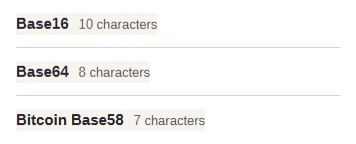
Same hello input, three To choices
Need to encode a local file? FluffyBench's File to Base64 and data URLs handles file input and can add the data URL wrapper when your destination asks for it.
Why can zero bytes stay the same size in Base58?
Bitcoin Base58 keeps each leading zero byte by writing a 1 for it. When every input byte is zero, that makes one output character per input byte.
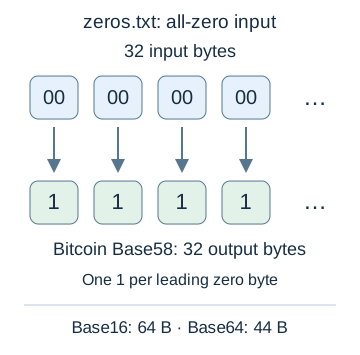
Leading zero bytes and their Base58 symbols