
How do you fix a JSON syntax error?
One stray comma can make a whole JSON file unreadable. Here's how to spot the mistake and fix it without guessing at your data.
Why can JSON reject text that looks right?
JSON is text for sharing structured information, and its punctuation tells a program how each piece fits.
Think of a JSON object as a filled-in form: each field has a name and a value, and a list holds several values together.
![A labelled object contains "name": "Mina" and "routes": ["/health"]. Leaders identify the name, colon, text value, separating comma, list brackets and enclosing object braces.](/images/standard/json-errors/object-anatomy.svg)
A parser is the part of a program that reads those marks. It can't read past a broken bit of punctuation just because the text makes sense to you. An error location tells you where it got stuck; the mistake can sit just before that spot.
How do you find and fix a trailing comma?
A trailing comma comes after the last item, where JSON expects the list or object to end.
In this routes list, the comma after /ready promises another item. A browser can point at the closing bracket because that's where the promised item fails to appear.
![Invalid: {"routes":["/health","/ready",]}. Corrected: {"routes":["/health","/ready"]}. The extra comma is highlighted, with a leader pointing to the closing bracket reported by the browser.](/images/standard/json-errors/trailing-comma-repair.svg)
How do you fix quotes, separators, and missing closing marks?
Names and text need double quotes, fields need commas between them, and opening marks need matching closing marks.
These repairs change punctuation while leaving the names and values in place.
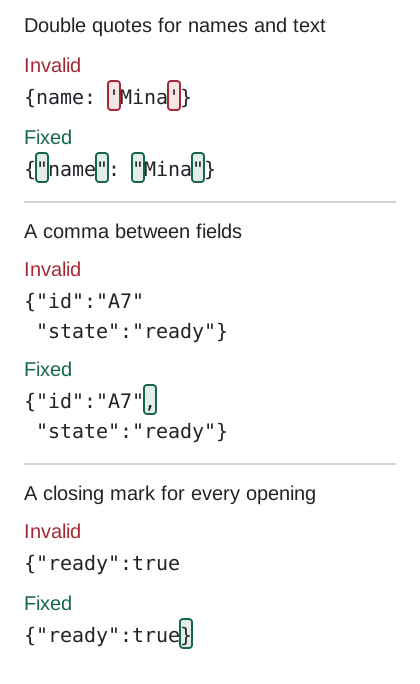
An end-of-input message means the parser reached the end while it was still expecting something. A missing closing quote, square bracket, or curly brace is a useful place to look. If an object or list is nested inside another, each opening mark needs its own partner.
Which values belong in JSON?
JSON accepts text, numbers, objects, lists, and the lowercase words true, false, and null.
The value after a colon has to use one of these forms; a familiar JavaScript word isn't necessarily a JSON value.
![Accepted values: "Mina", 3, {"id":"A7"}, ["/health", "/ready"], true, false and null. Rejected: undefined, NaN, Infinity, True and a line comment.](/images/standard/json-errors/json-values.svg)
Don't swap an invalid value for null just to clear the error: null means an absent value, and you know what the data should mean. A syntax check checks the writing, not that choice.
If your file includes comments, check the format its destination expects. Comments can belong in JSONC, JSON5, or JavaScript; they don't belong in strict JSON. Functions aren't JSON values either.
How do you fix JSON numbers?
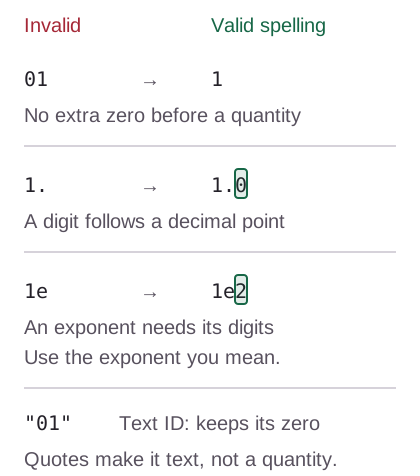
A JSON number can't have an extra leading zero, an unfinished decimal, or an unfinished exponent.
A quantity needs a complete number spelling. An ID with a meaningful leading zero belongs in quotes as text.
Doing it in FluffyBench
FluffyBench's JSON formatter and validator locates syntax problems and checks your edits as you type.
Here's the routes repair in FluffyBench, from the broken input to the corrected JSON you can copy or download.
-
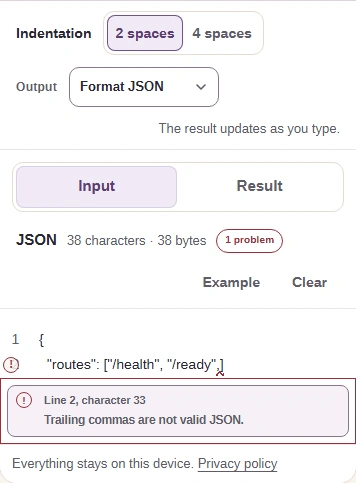
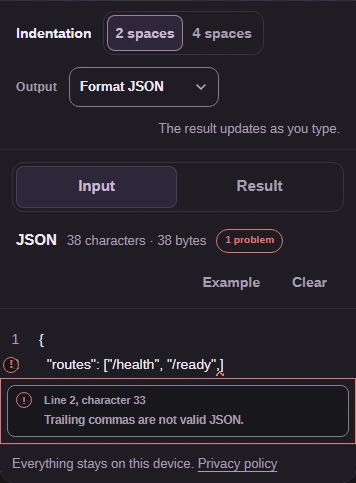
Step 1. Keep your original, then paste the JSON into Input. Tap Input to leave the text field and show syntax errors. - Format JSON adds readable spacing.
- Tap Input after pasting to show errors.
- Paste your JSON here.
-
-


Step 2. Select the first error below Input to jump to the mistake. - Select the problem and its location.
-
-
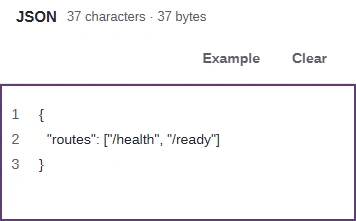
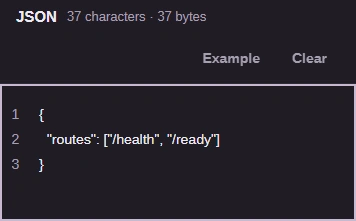
Step 3. Remove the final comma in Input. FluffyBench checks the edit automatically. - Remove the comma after /ready.
-
-
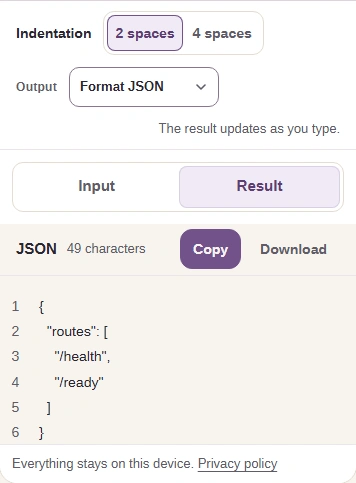
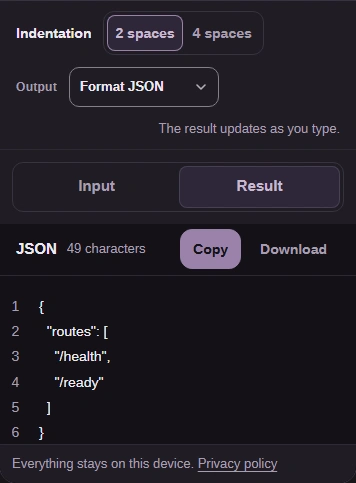
Step 4. Open Result to check the formatted JSON. Copy takes the text; Download saves a .json file. - Open Result to read the corrected JSON.
- Copy puts the result on your clipboard.
- Download saves the JSON file.
-
If another problem remains, it appears in Input's error list after you leave the text field. For a closer look at what changed, FluffyBench's text diff compares your original and corrected text side by side.