
How do you choose between HTML, JSON, and C-style escapes?
A quote inside your words can accidentally end a JSON string. Escaping keeps it in your text, and each destination has its own spelling rules.
Why do quotes inside your text need escaping?
Escaping rewrites punctuation so the next app reads it as part of your text. It's like writing the same note for readers who use different punctuation rules: a quote inside your words needs a different spelling from a quote that ends a JSON string.
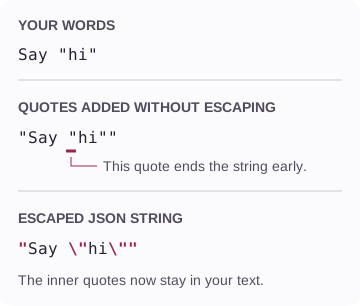
Keep the quote inside your words
- Start with your words
The quote marks around hi are part of what you want to say.
- An inner quote can end the string
Adding outer quotes isn't enough: JSON reads the next unescaped quote as the end of the value.
- A backslash changes how JSON reads it
\"keeps that quote inside the words. Your text still says the same thing.
Which escapes fit HTML text, JSON strings, or code?
Choose by where your text will go. Here are the same words, Say "hi" <b>, written for three destinations; the pink characters are the escape spellings.
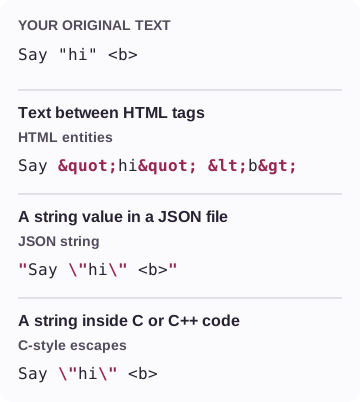
One sentence, three escaped versions
- HTML entities: text between tags
The browser reads
<b>as visible text. For attributes or scripts, use your framework's escaping for that context. - JSON string: one complete value
The first and last quotes wrap the value. Quotes inside your words get a backslash; <b> stays as text.
- C-style escapes: string contents for code
Use for the contents of a C or C++ string literal; add the surrounding quotes in your code. FluffyBench handles common escapes, not every language's string syntax.
Doing it in FluffyBench's Text escaper
In FluffyBench's Text escaper, From describes what you have and To describes what you need. Choose the destination above; the JSON path below shows how to take the result with you.
-
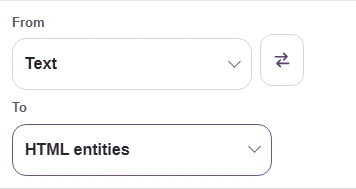
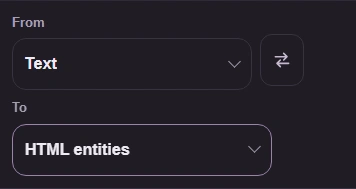
Step 1. Set From to Text, then open To to choose an escape spelling. - From: Text starts with your original words.
- Open To for the destination choices.
-
-
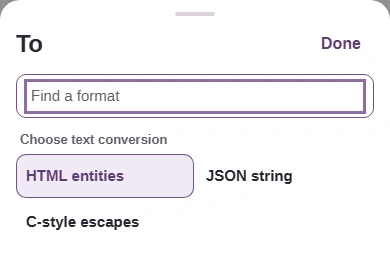
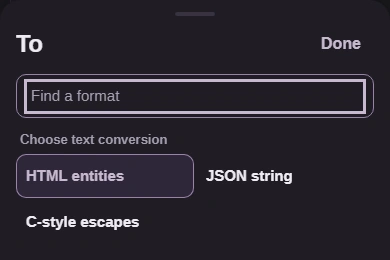
Step 2. Choose HTML entities, JSON string, or C-style escapes to match the destination. This walkthrough continues with JSON string. - HTML entities fits text between HTML tags.
- Choose JSON string for one complete JSON value.
- C-style escapes returns string contents for code.
-
-
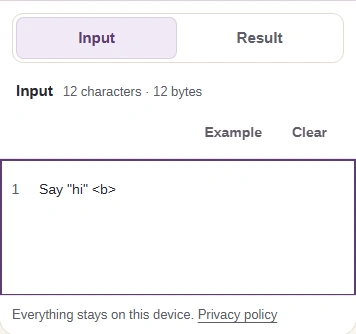
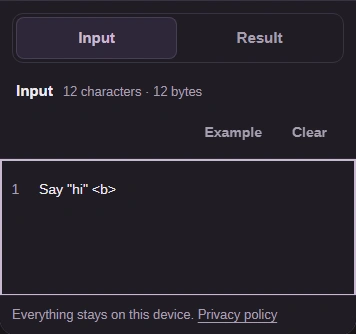
Step 3. Paste the source text into Input. Short text updates automatically; on a phone, open Result. - Paste your original text in Input.
- On a phone, open Result.
-
-
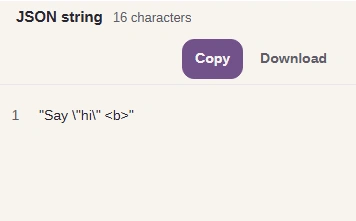
Step 4. Check the JSON string, including its outer quotes. Copy takes the complete result to your clipboard; Download saves a text file. - The JSON string includes both outer quotes.
- Copy the complete result.
- Download the result as a text file.
-
Working with a whole JSON document? FluffyBench's JSON Formatter checks its syntax and formats it for you.