JPEG XL converter

Convert images to JPEG XL; adjust lossy output quality.

FluffyShield Protected workspace
From
To

Convert to

Common

Any image Mix formats in one batch
WebP Small files for the web
JPG Opens anywhere
PNG Lossless with transparency
AVIF Modern web images
JPEG XL JPEG XL images
GIF GIF images

Icons and print

ICO Windows icon
ICNS Mac icon
CUR Cursor image
TIFF Print and archival image
BMP Windows bitmap
APNG Animated PNG image

Game textures

DDS Game texture
KTX GPU texture
KTX2 GPU texture
VTF Valve texture

Your images stay when you change the format. Press Convert again to make the new files.

FluffyShield

Isolated workspace: other page scripts can't read your files. How FluffyShield works

How it works
  1. Choose images
  2. Choose Quality in Settings
  3. Convert to JPEG XL
  4. Download the copy or a ZIP

Transparent backgrounds

Keep see-through areas in the JPEG XL copy.

Motion or a still

Choose the animation or its first frame.

Limits Your receiving app needs to be able to open JPEG XL.

Need a JPEG XL copy of your picture?

Make a JPEG XL copy on your device. See what Quality changes before you choose a setting, then check the copy in the app where you'll use it.

What does JPEG XL Quality change?

JPEG XL is another way to pack a picture into a file. Think of Quality as choosing how tightly to pack a suitcase: a lower setting replaces some fine details with simpler look-alikes, while a higher setting gives detail more room.

Compare the same dahlia petals at Quality 50, 92 and 100: the lower setting smooths away more of their fine texture.

Original dahlia JPG and matched JPEG XL petal crops at Quality 50, 92 and 100, with saved-file sizes.
Rendered for illustration at unchanged dimensions; sizes are for the complete JPG and saved JPEG XL files. Quality 100 doesn't switch FluffyBench's public JPEG XL converter to lossless mode. How we reviewed · Photo: Tj Holowaychuk, Unsplash License, via Unsplash.

Converting to JPEG XL in FluffyBench

Here's the conversion in FluffyBench's JPEG XL converter, from choosing a picture to saving the .jxl copy.
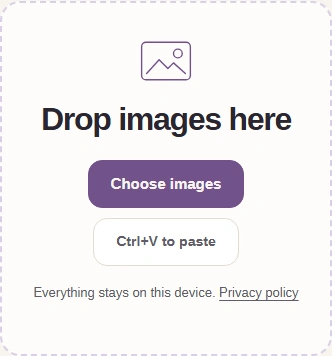
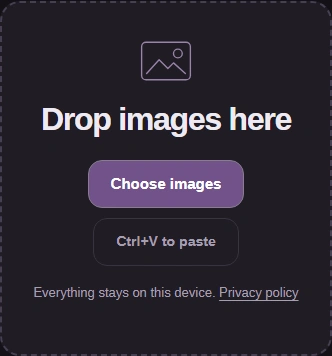
  1. JPEG XL converter intake with Choose images.
    JPEG XL converter intake with Choose images.
    Step 1. Choose the picture you want to turn into JPEG XL; keep your original for its metadata or editable parts.
    1. Choose images opens your device's file picker.
  2. FluffyShield toolbar with the settings gear and JPEG XL quality summary.
    FluffyShield toolbar with the settings gear and JPEG XL quality summary.
    Step 2. Tap the gear to open Settings; tap the same button again to close Settings after choosing your quality.
    1. The gear opens and closes Settings.
  3. The JPEG XL Quality control at 92.
    The JPEG XL Quality control at 92.
    Step 3. Quality 92 is the starting setting for this conversion.
    1. Choose your Quality setting.
  4. The JPEG XL command bar with Convert 1 to JPEG XL ready.
    The JPEG XL command bar with Convert 1 to JPEG XL ready.
    Step 4. With Settings closed, create the JPEG XL copy.
    1. Convert 1 to JPEG XL starts the conversion.
  5. Completed dahlia JPEG XL result with file sizes and the Download button.
    Completed dahlia JPEG XL result with file sizes and the Download button.
    Step 5. Download saves the completed .jxl file to your device.
    1. Download saves this JPEG XL.

Converting several pictures? Save the completed batch together.
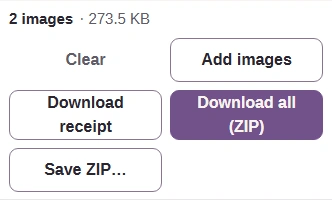
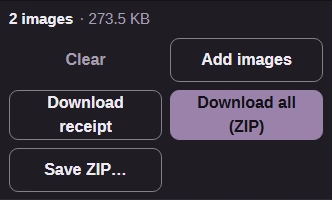
  1. Completed batch with Download all (ZIP).
    Completed batch with Download all (ZIP).
    Step 1. For several pictures, Download all (ZIP) saves the completed JPEG XL files together.
    1. Download all (ZIP) saves the batch.

What do Size and the file-size limit change?

Size changes the picture's pixel dimensions; Original leaves them unchanged.
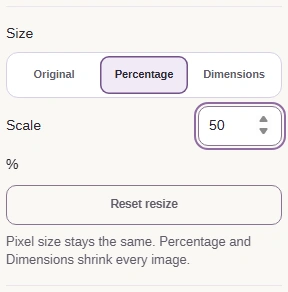
Percentage scales the width and height together.

At Percentage 50, the saved dahlia has half the original width and height.

Rendered for illustration through FluffyBench's JPEG XL converter; dimensions and sizes come from the saved files.
Rendered for illustration through FluffyBench's JPEG XL converter; dimensions and sizes come from the saved files. · Photo: Tj Holowaychuk, Unsplash License, via Unsplash.

Dimensions lets you choose a width or height in pixels.
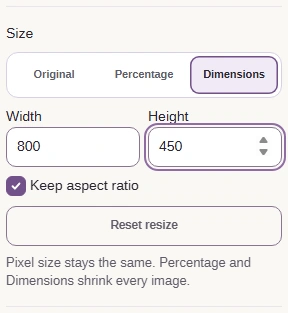
Keep aspect ratio keeps the picture's shape when you change a dimension.

Limit each file's size lowers quality as needed to work toward an upload cap.
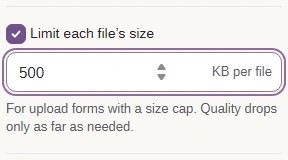
Enter the destination's limit in KB per file.

What does FluffyBench keep in a JPEG XL copy?

FluffyBench's JPEG XL converter keeps transparency and saves a flat picture, leaving source metadata and editable layers behind.

A JPG input becomes a fresh picture encode; you can't recover the original JPG bytes from this JPEG XL.

The transparent Earth corners stay see-through in the JPEG XL copy.
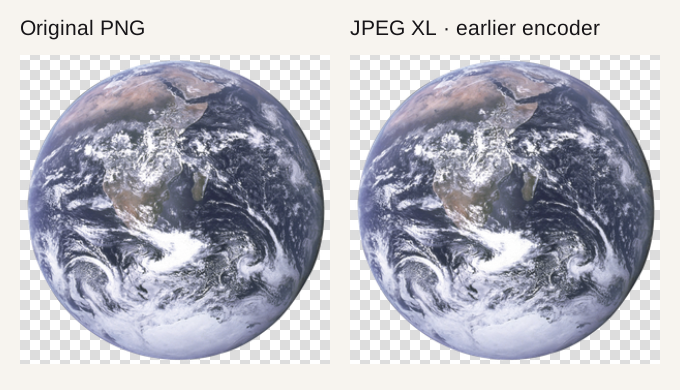
Source PNG and JPEG XL over the same checkerboard; comparison details are in How we reviewed.
Source PNG and JPEG XL over the same checkerboard; comparison details are in How we reviewed. · Photo: NASA, Public domain, NASA-created image, via Wikimedia Commons.

For an animated GIF or WebP, Animated images chooses motion or the first picture.

Mode illustration using selected Kicking Mule frames: Keep the animation carries a sequence; Still of frame 1 keeps its first picture.
Mode illustration using selected Kicking Mule frames: Keep the animation carries a sequence; Still of frame 1 keeps its first picture. · Photo: Eadweard Muybridge, Public domain in the United States, via Wikimedia Commons.

What should you check before using a JPEG XL?

Check the saved copy's size, picture detail and destination before you use it.
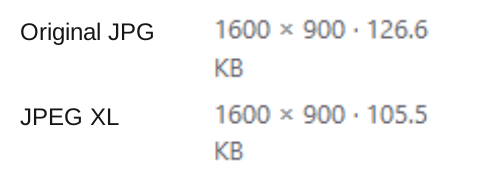
Original JPG and JPEG XL sizes in the conversion result.

1. Compare the JPEG XL size with your destination's limit.
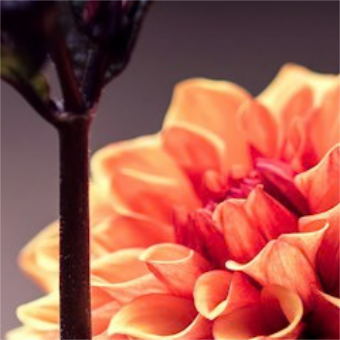
A close petal view from the saved Quality 92 JPEG XL.

2. Inspect the detail you care about in the saved copy.

The size rows and petal detail come from the saved Quality 92 copy. · Photo: Tj Holowaychuk, Unsplash License, via Unsplash.

3. Open the saved JPEG XL in the app where you'll use it.

Saved dahlia JPEG XL open in FluffyBench Image Viewer as a receiving-app example; if your receiving app opens the file, use it; otherwise return to To and choose its required format.
Opens? Use the copy. Won't open? Return to To and choose the format your app needs. FluffyBench's Image Viewer is the receiving-app example shown here. · Photo: Tj Holowaychuk, Unsplash License, via Unsplash.

Your destination asks for PNG or needs a transparent PNG copy?

FluffyBench's PNG converter

Save a PNG with transparency for a destination that accepts PNG.

Your destination asks for JPG?

FluffyBench's JPG converter

Save a JPG copy for that destination; transparent areas need a background color.

Search FluffyBench