
Which of AVIF, WebP, and JPEG XL should you use?
Pick the smallest format the place you're sending it can open. AVIF can get close to half the size of WebP, giving you less to upload and send.
Which format fits your job?
Start with AVIF for a smaller photo delivery copy, WebP Lossless when you need to keep every pixel, and JPEG XL when the receiving workflow calls for it.
A photo you want to send or publish in less space
Try AVIF when your destination accepts it. It made the smaller files in our WebP/AVIF comparison.
A screenshot or graphic whose pixels must stay exact
Choose WebP with Compression set to Lossless. It preserves every pixel; expect a different size trade-off from lossy photo compression.
An app or recipient asks for JPEG XL
Choose JPEG XL for that destination. FluffyBench makes a regular delivery copy; see the feature table for high color precision and reversible JPEG recovery.
Can your destination open AVIF, WebP, or JPEG XL?
Think of an image format as a language for a picture: the app receiving it needs to read that language. Start with the browser, editor, publishing system, or person getting your file. The receiving app decides which formats you can use.
Destination acceptance is the first gate. Features, size, and appearance decide between the formats that get through.

Start with the destination
Check the receiving software with our browser image-format guide before choosing a delivery format.
How much smaller is AVIF than WebP?
AVIF came out about 40% smaller than WebP for a photo and about 50% smaller for an interface screenshot. That's less to send or store.
A quality number isn't a shared scale across formats. Matching the numbers on two sliders won't match the pictures, so the useful tie-breaker is the size of a copy whose appearance you're happy with.
What does a smaller copy cost in detail?
Here's a mountain photo before conversion and at three AVIF quality settings. Lower Quality gives the encoder more room to change detail to save space.

Quality and detail
Doing it in FluffyBench: make an AVIF and check it
FluffyBench's AVIF converter makes a delivery copy of your still photo. The walkthrough uses the mountain photo from the quality comparison.
Choose a representative picture and set the output quality before conversion.
-


Step 1. Choose one typical picture; keep the original for later edits. - Choose images opens your file picker.
-
-


Step 2. FluffyBench's AVIF converter starts with To set to AVIF. - To names the format you will make.
-
-


Step 3. Open Settings before converting. - Settings opens the output controls.
-
-
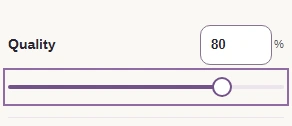
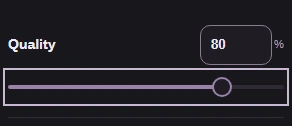
Step 4. Choose Quality 80, the middle AVIF copy in the detail comparison. - Choose Quality 80.
-
Make the AVIF, compare the size readouts, and save the copy.
-
Step 1. Close Settings to return to conversion. - Settings also closes the panel.
-
-
Step 2. Convert makes the copy with your chosen settings. - Convert 1 to AVIF starts conversion.
-
-
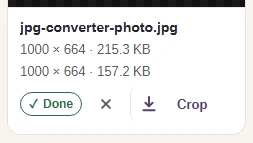
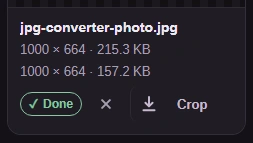
Step 3. The source is 215.3 KB; the Quality 80 AVIF is 157.2 KB. Check the copy against your destination's size limit. - Read the original's dimensions and size.
- The lower readout is the converted copy's size.
-
-
Step 4. Download saves the copy. Open it where it's going, at the size it will appear. - Download saves the finished AVIF.
-
Need to check your copy in FluffyBench's image viewer?
When you need more than an ordinary photo
Bit depth means how finely a color can change from one shade to the next. Think of a sunset: finer steps give the file room for a smoother fade.

Color precision
HDR, or high dynamic range, keeps a wider span between bright and dark detail. For an HDR photo or artwork with extra color precision, use an encoder that keeps those features. The table separates format capabilities from the copies FluffyBench makes.
| Format | What the format can hold | What FluffyBench writes |
|---|---|---|
| WebP | 8-bit color; lossy or lossless pictures. | FluffyBench's WebP converter offers Lossy and Lossless under Compression. Lossless keeps every pixel and ignores Quality. |
| AVIF | Up to 12-bit color and HDR. | FluffyBench's AVIF converter writes 8-bit output with adjustable quality. |
| JPEG XL | High color precision and HDR; reversible JPEG recovery. | FluffyBench's JPEG XL converter writes 8-bit lossy pictures, with no lossless mode or reversible JPEG recovery. |
If you want to recover an original JPEG from a JPEG XL file later, you'll need reversible transcoding; our guide to what JPEG-to-JPEG-XL conversion keeps explains that choice.