
Favicon and app icon generator
Turn one logo into a favicon, an Apple touch icon and the icons an installed web app needs, with the code to paste into your page.
FluffyShield Protected workspace
Turn one logo into a favicon, an Apple touch icon and the icons an installed web app needs, with the code to paste into your page.
FluffyBench’s Favicon and App Icon Generator turns one logo into browser-tab icons, a Home Screen image and a web-app icon set, with links ready for your website.
A favicon is the little picture beside your site’s name in a browser tab. The Apple touch icon is the picture used for an iPhone or iPad Home Screen shortcut. The larger app icons are listed in a manifest: a small text file that tells a web app where its icons live.
Think of the ICO as a small suitcase holding several icon sizes; the PNG favicons are those sizes handed over separately.
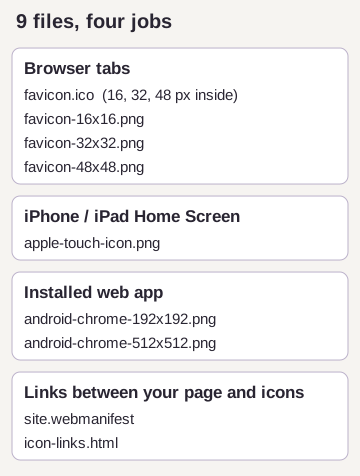
This is a web-icon set. Native mobile-app resources and maskable icons—artwork designed to survive a platform’s shape crop—need a different setup.
A square picture at least 512 px across is a good starting point for the largest output. A smaller source is enlarged for that icon and may look soft.
A detailed drawing can become a blur at 16 px. Here’s the measured drawing and its favicon beside a separate, simpler mark.
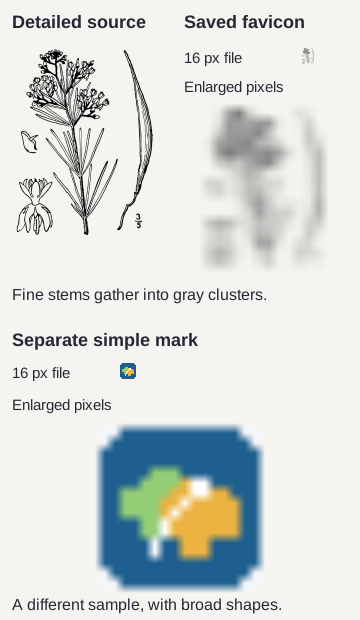
Thin stems, flowers and printed details compete for space when this drawing shrinks.
The enlargement exposes the gray clusters you see as a blur in a tab.
Broad shapes stay distinct. This is a different sample, not a cleaned-up version of the drawing.
FluffyBench resizes your picture; it doesn’t redraw fine details into a new logo. A symbol with a clear outline is easier to recognize than a full illustration or a wordmark with small lettering. If you can’t pick out your mark in the tab preview, the source artwork is the useful thing to change.
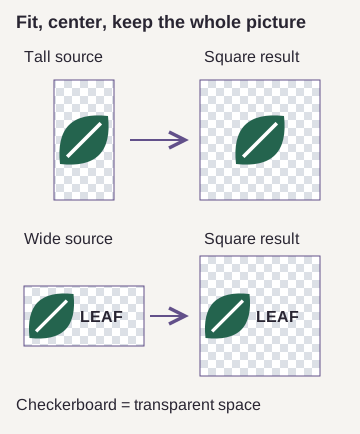
FluffyBench centers the whole picture inside a square without stretching or cropping it.
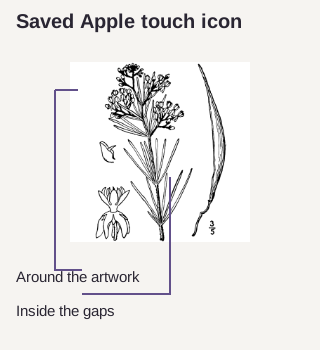
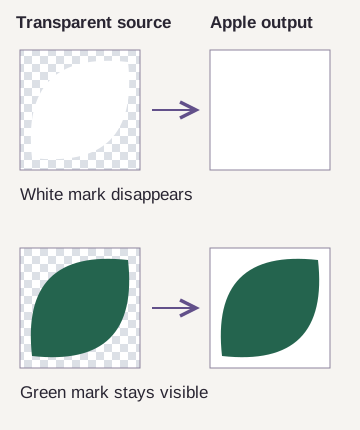
The saved 180 px Apple touch icon gets white in every transparent area, including holes inside the artwork.
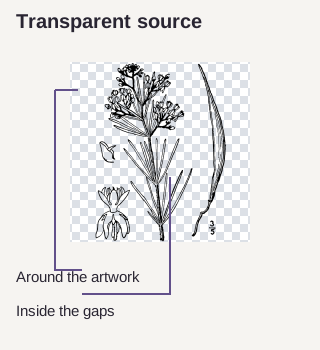
White artwork disappears against the Apple icon’s white fill. Use a source with enough contrast against white.
Choose one picture and FluffyBench’s Favicon and App Icon Generator makes the complete set in your browser. There’s no separate Generate step.


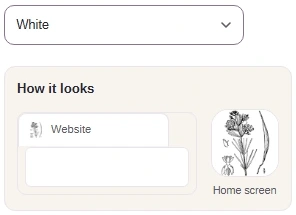
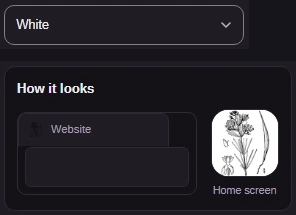


Before copying files or links, check whether your site already has a web manifest. Keep its settings and its existing page link if it does.
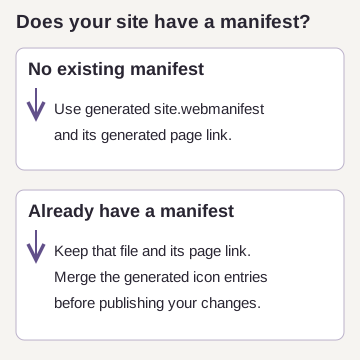
The ZIP gives you the files; Copy gives you the links your webpage needs. Follow your manifest path through this simple HTML website example.
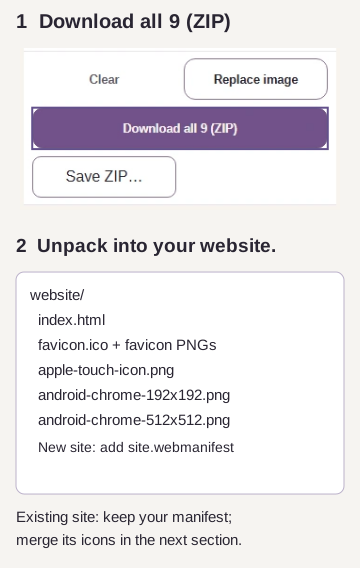
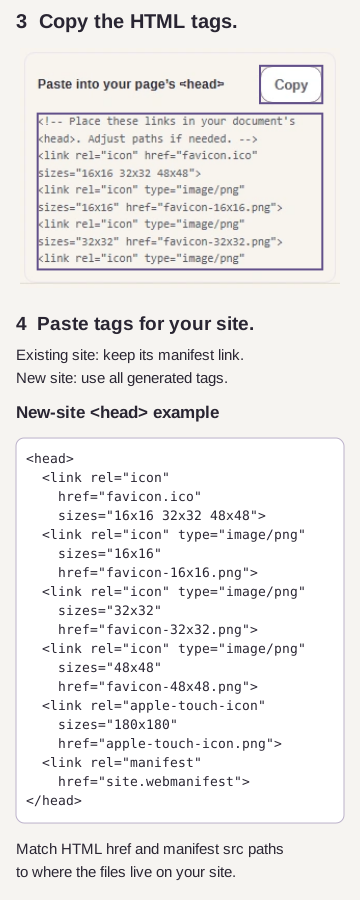
For a site builder or framework, the equivalent destinations are its public-files folder and page-head controls. FluffyBench doesn’t publish the files or edit your website for you.
The app-icon connection runs from your page to its manifest, then to the larger PNGs. For an existing site, use FluffyBench’s manifest Download to get the icon entries for that connection.
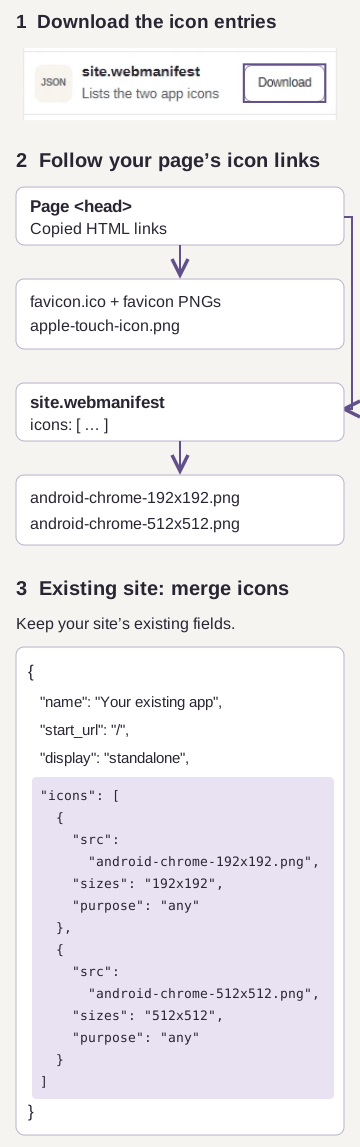
FluffyBench’s site.webmanifest contains the icon list, not an app name, start page or display preference. It’s a starting piece for your site’s manifest, not a complete installable-app setup.
An ICO can hold several icon sizes. FluffyBench’s icon generator needs one picture to start from.
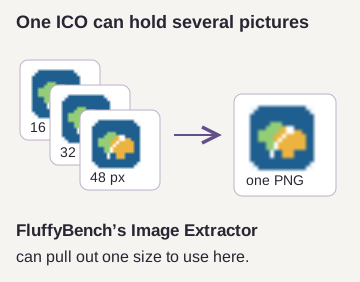
“Choose one image” means the file contains several pages, layers, texture images or icon sizes. For an ICO with multiple sizes, FluffyBench’s Image Extractor can pull out one picture for this generator.
Animated inputs use frame 1; the workspace warning explains what was left out. A static logo avoids choosing the wrong moment for your site’s icon.
The botanical-image run produced these output sizes.
| Setting | Output size in this run | Notes |
|---|---|---|
| favicon.ico · 16 px, 32 px, 48 px | 15.1 KB | One ICO file with these included image sizes. Exact output: 15,086 bytes. |
| favicon-16x16.png · 16 × 16 px | 488 B | Separate PNG favicon at the declared square size. Exact output: 488 bytes. |
| favicon-32x32.png · 32 × 32 px | 1.4 KB | Separate PNG favicon at the declared square size. Exact output: 1,350 bytes. |
| favicon-48x48.png · 48 × 48 px | 2.5 KB | Separate PNG favicon at the declared square size. Exact output: 2,502 bytes. |
| apple-touch-icon.png · 180 × 180 px | 21.0 KB | The touch icon uses the selected white background in this capture. Exact output: 21,042 bytes. |
| android-chrome-192x192.png · 192 × 192 px | 23.7 KB | Manifest icon marked purpose any. Exact output: 23,698 bytes. |
| android-chrome-512x512.png · 512 × 512 px | 98.2 KB | Manifest icon marked purpose any. Exact output: 98,160 bytes. |
| site.webmanifest · 2 icon entries | 284 B | Its top-level fields in this capture: icons. Exact output: 284 bytes. |
| icon-links.html · 6 link elements | 483 B | Relative links for the favicon, touch icon, and manifest files. Exact output: 483 bytes. |
