
Does a higher PNG compression level make a smaller file?
Choosing a PNG compression level? More effort can shrink the file without changing the picture, though a higher setting doesn't always make it smaller.
What does a PNG compression level change?
Think of packing a suitcase: spending longer folding the clothes can leave more room without taking anything out. PNG compression works the same way: Fast spends less effort looking for ways to pack the picture's data; Maximum spends more, with Balanced in between.
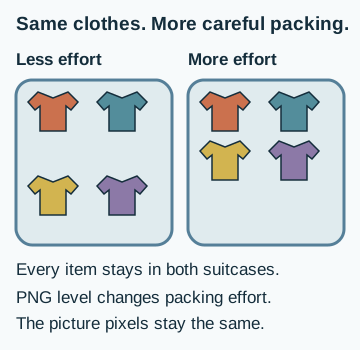
Color mode and resizing can change the picture. Leave those choices alone when you compare compression levels.
Does a higher PNG compression level make a smaller file?
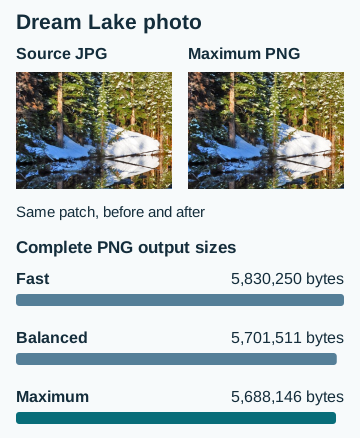
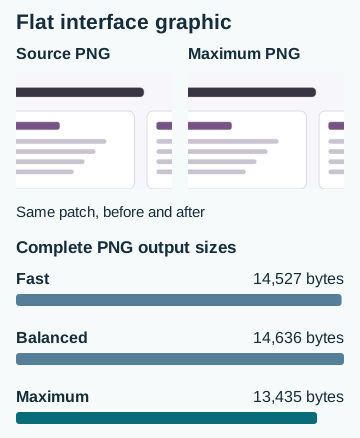
It can. Maximum made the smallest PNG for both images here. The photo came out about 2.4% smaller than at Fast; on the flat graphic, Balanced was about 0.8% larger than Fast. A higher level asks for more searching, not a particular file size.
Here's a Dream Lake photograph that started as a JPG, with the same patch before and after saving at Maximum. The three sizes belong to complete PNG copies of that photo.
.jpg)
This flat interface graphic was already a PNG. Its middle setting produced the largest copy, so you can't assume each step up will save space.
Wondering why a PNG made from a JPG can be much larger? Why image files get larger explains that separate format choice.
How much longer does PNG compression take?
Maximum took longest in all four image-and-browser pairs. The extra wait bought a modest saving on the photo, and the waiting time varied with both the image and browser.
There isn't one best tradeoff for every job. If you're making a single copy, a little extra waiting may be fine. If you're processing a folder, a small saving on each image may matter less than finishing sooner.
Doing it in FluffyBench: choosing a PNG compression level
FluffyBench's PNG converter lets you compare the levels on your own picture. Keep your original; the walkthrough makes separate PNG copies, starting with Fast.
Make the Fast copy first. The color, sample depth, interlace and Size choices stay unchanged for the comparison.
-
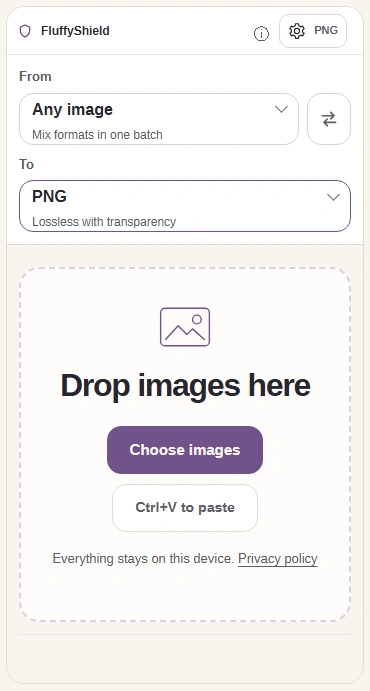
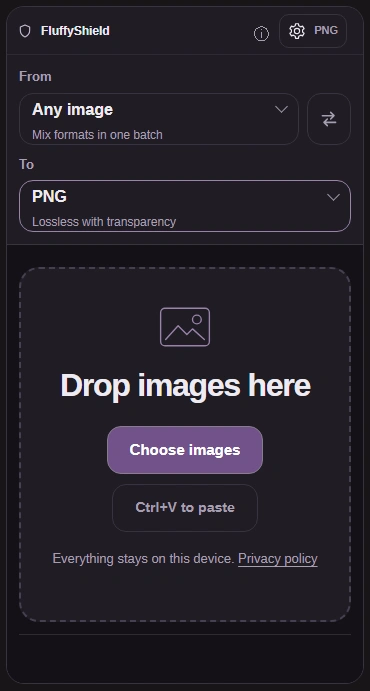
Step 1. Choose your image and leave To on PNG. Open Settings. - Choose images opens your file picker.
- To is already PNG.
- Open Settings for the PNG controls.
-
-
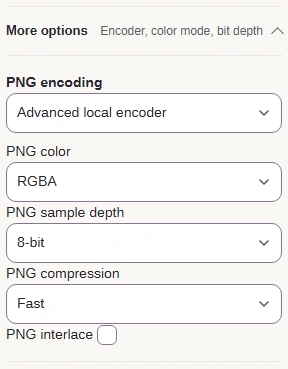
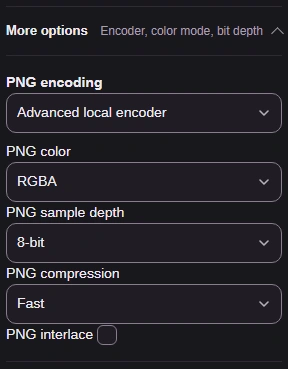
Step 2. Open More options and choose Advanced local encoder. Choose Fast; leave RGBA, 8-bit and interlace off as shown. - More options reveals the PNG choices.
- Advanced local encoder makes compression levels available.
- Use Fast first. RGBA keeps color and alpha; 8-bit sets sample depth; interlace changes loading order.
-
-
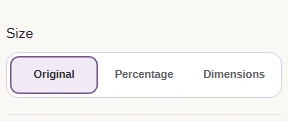
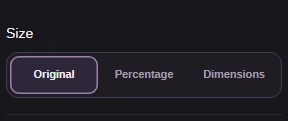
Step 3. Keep Size on Original so both copies have the same dimensions. - Original keeps the pixel dimensions.
-
-


Step 4. Close Settings with the gear button. - Press the gear again to close Settings.
-
-
Step 5. Press Convert 1 to PNG to make the Fast copy. - Convert 1 to PNG creates the copy at Fast.
-
Now compare Maximum on the same image. Keep the copy whose size is worth the wait for your job.
-
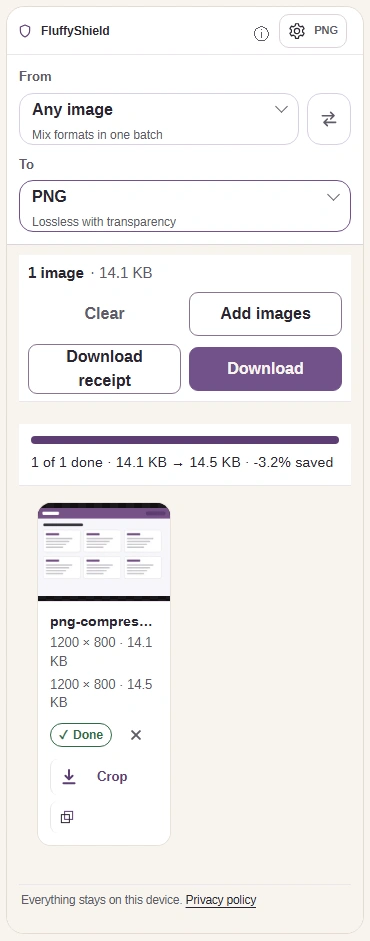
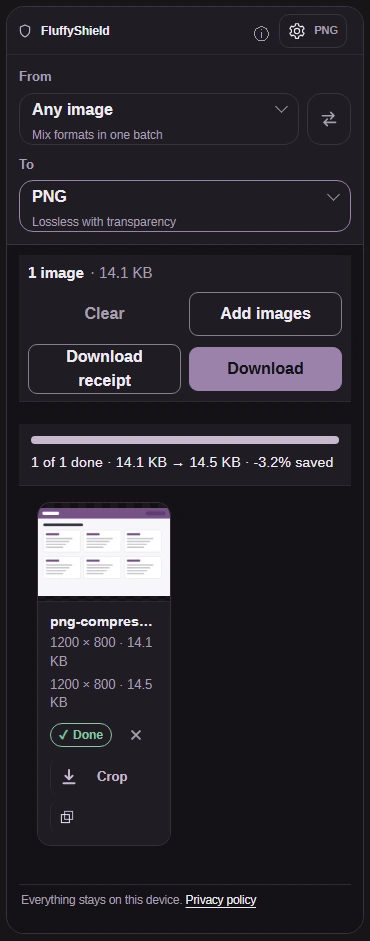
Step 1. Read the Fast output size and Download this copy. Reopen Settings for the comparison. - Read the output size on the second size line.
- Download saves the Fast PNG to your device.
- Open Settings to change the compression level.
-
-


Step 2. Change PNG compression to Maximum. Leave the other choices as they were. - Choose Maximum for the second copy.
-
-


Step 3. Close Settings with the gear button. - Press the gear again to return to the image.
-
-
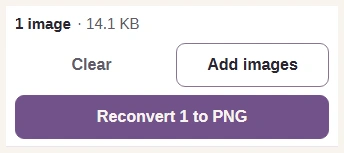
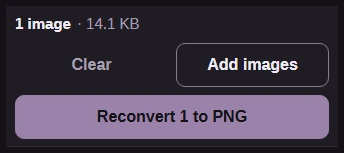
Step 4. Press Reconvert 1 to PNG to replace the displayed result with the Maximum copy. - Reconvert 1 to PNG makes the second copy at Maximum.
-
-
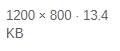
Step 5. Compare the Maximum PNG size with the Fast copy you saved. - Read the output size on the second size line.
-
For the other controls, which PNG settings are worth changing explains when color mode, sample depth and interlace help. For a smaller photo copy where exact pixels don't matter, FluffyBench's JPG converter gives you a quality setting to trade some picture detail for space.
Compare compression levels on your own image with FluffyBench's PNG converter.
How we reviewed PNG compression levels
These are the complete median waiting times behind the timing chart.
| Setting | Photo · Chrome | Photo · Firefox | Mock · Chrome | Mock · Firefox |
|---|---|---|---|---|
| Fast (level 1) | 854 ms | 904 ms | 461 ms | 487 ms |
| Balanced (level 6) | 862 ms | 1,126 ms | 457 ms | 500 ms |
| Maximum (level 9) | 1,050 ms | 1,345 ms | 466 ms | 718 ms |