
How can one ICO file hold several icon sizes?
One ICO can carry a tiny icon for a menu and a larger version for other spaces. Here's what's inside—and why checking the biggest preview isn't enough.
What does one ICO file hold?
An ICO is like an envelope of ready-made prints of the same icon. Each picture has its own pixel size, so an app can pick the version that fits its space.

One source, separate pictures, one ICO
An ICO isn't one big picture with a list of suggested display sizes. The smaller pictures are already saved inside it. That matters when you're checking an icon: a clear large preview doesn't tell you how the separate menu-sized picture looks.
What do the stored icon sizes look like?
Here's a generated star-and-circle icon from one recorded ICO. Compare the largest stored picture with the tiny versions: the star points and white center have fewer pixels to work with.

256 px reference, reduced for display

16 px at display size

32 px at display size
16 px picture, enlarged for inspection
The white center has little room to keep its round shape.
32 px picture, enlarged for inspection
The larger picture has more room for the star points.
At the tiny size, look for recognition: can you still tell what the icon is? The enlargement helps you see how an edge was drawn. The display-size picture tells you whether the design reads without zooming in. Those are different checks, and you need the small view for the second one.
Why can a smaller icon picture take more file space?
In the recorded ICO, the 128 px picture takes about 5 times the space of the 256 px picture. The smaller one stores an uncompressed bitmap—a grid of pixels—while the larger one uses PNG compression.

128 px bitmap · 67,624 bytes
256 px PNG · 13,294 bytes
So pixel dimensions and file size answer different questions. Dimensions tell you how much room a picture has for detail; bytes tell you how much storage its saved form uses. Don't use either number as a substitute for looking at the icon.
Doing it in FluffyBench: create and check your ICO
FluffyBench's ICO converter bundles the sizes you choose into one file. Use the size list requested by the site or app receiving it. If you're preparing website icons, the favicon size guide explains which files different placements ask for.
Create your ICO from an image you can still edit. Keep that source for changes if the tiny version needs simpler shapes.
-
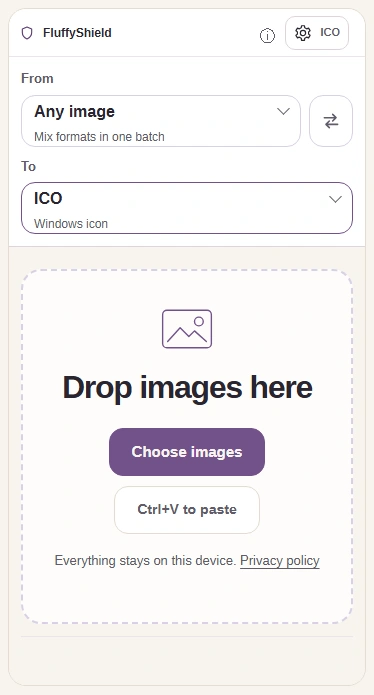
Step 1. Choose your source image, confirm ICO under To, and open the ICO settings. - Choose images opens your device’s file picker.
- To is already set to ICO on this page.
- The ICO gear button opens the size choices.
-
-
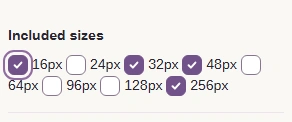
Step 2. Match Included sizes to your destination’s request; the checked default set is an example. - Each checked size adds a separate picture to one ICO.
-
-


Step 3. Press the ICO gear button again to return to your image. - The ICO gear button closes the size panel.
-
-
Step 4. Press Convert 1 to ICO. - Convert makes one ICO with the checked sizes.
-
-
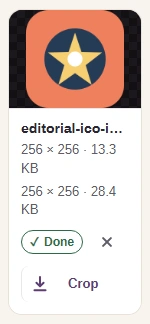
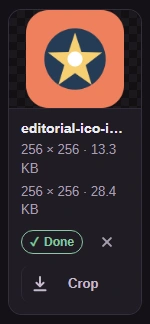
Step 5. Check the output readout, then use the Download arrow. - Dimensions describe the largest picture; bytes cover the whole ICO.
- The Download arrow saves the ICO to your device.
-
FluffyBench's Image extractor opens the downloaded ICO's separate sizes. It gives you PNGs to inspect without changing the ICO you'll hand off.
-
Step 1. Choose the ICO you just downloaded. - Choose files opens the file picker for your ICO.
-
-
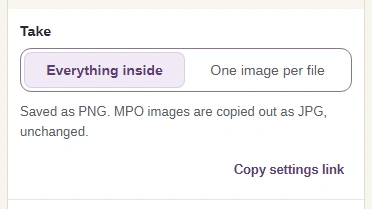
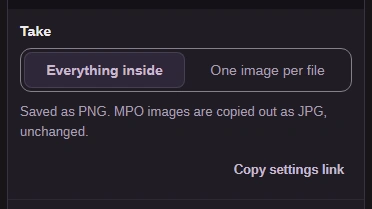
Step 2. Leave Take on Everything inside so you can inspect every stored size. - Everything inside extracts each stored picture as a PNG.
-
-
Step 3. Press Extract. - Extract opens the pictures stored in your ICO.
-
-
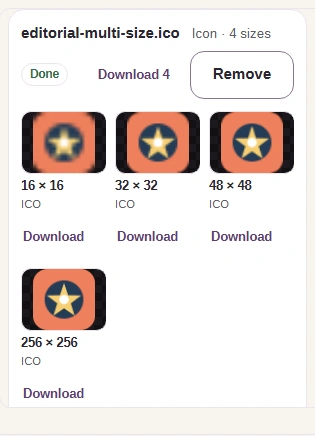
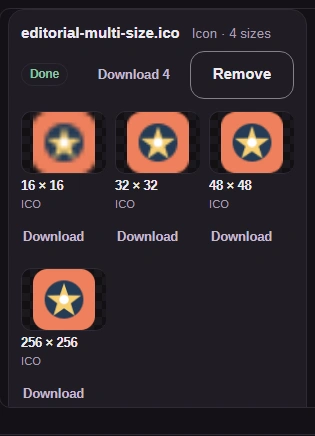
Step 4. Find the smallest size in the results and download its PNG for a display-size check. - 16 by 16 identifies the smallest picture in this example.
- Download saves that picture as a separate PNG.
-
-
Step 5. If you need the complete set of PNGs, save them together. - Download all (ZIP) saves the extracted PNGs together.
-
Here's the smallest PNG extracted from the walkthrough's ICO, beside its source reference. Check your own smallest picture without zooming in: can you still recognize the design?
Source reference, reduced for display

Extracted PNG at display size
Need to extract the stored sizes from an ICO?
What should you check before handing off an ICO?
Open your ICO in the receiving app or site to check that it accepts the file and the icon looks right in place. A design that reads well in a large page image still needs to work in its tiny placement.

Illustration of an icon in a browser tab