ICO converter

Convert images to ICO; choose the icon sizes.

FluffyShield Protected workspace
From
To

Convert to

Common

Any image Mix formats in one batch
WebP Small files for the web
JPG Opens anywhere
PNG Lossless with transparency
AVIF Modern web images
JPEG XL JPEG XL images
GIF GIF images

Icons and print

ICO Windows icon
ICNS Mac icon
CUR Cursor image
TIFF Print and archival image
BMP Windows bitmap
APNG Animated PNG image

Game textures

DDS Game texture
KTX GPU texture
KTX2 GPU texture
VTF Valve texture

Your images stay when you change the format. Press Convert again to make the new files.

FluffyShield

Isolated workspace: other page scripts can't read your files. How FluffyShield works

Make an ICO icon, or get a PNG from one

Need an icon file for an app or website? FluffyBench can package your image into several ICO sizes—or turn an existing ICO’s largest picture into a PNG.

What’s inside an ICO?

Think of an ICO as a set of the same badge printed in several sizes. An app can pick the picture that fits its space. Use ICO when the destination requests that set; use PNG when it asks for one picture.

FluffyBench makes each selected ICO size from one source picture. With an existing ICO, that source is its largest picture; the smaller stored originals don’t pass into the new file.

An image becomes selected ICO sizes; an existing ICO’s largest picture becomes a rebuilt ICO or one PNG. Smaller stored pictures stay out of conversion.

The two ICO conversion paths

Converting an ICO rebuilds the pictures; extracting an ICO retrieves the stored set. Measurement method and sources

Doing it in FluffyBench: make a multi-size ICO

Use FluffyBench’s ICO converter when your app or website asks for an ICO. This fruit logo becomes one file with the sizes you tick.
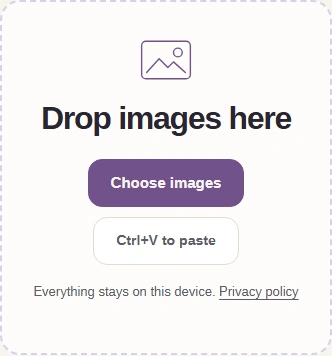
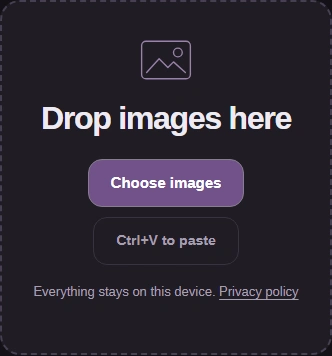
  1. Choose images in FluffyBench’s ICO converter.
    Choose images in FluffyBench’s ICO converter.
    Step 1. Choose your artwork; this walkthrough uses a fruit logo.
    1. Choose images opens your files.
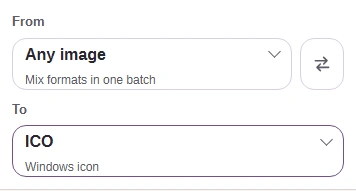
  2. ICO in the To picker, with the Settings button above.
    ICO in the To picker, with the Settings button above.
    Step 2. Keep To set to ICO and open Settings.
    1. Keep To at ICO for an ICO file; PNG makes one picture.
    2. The gear button showing ICO opens Settings; tap it again to close.
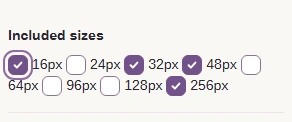
  3. Included sizes: 16px, 32px, 48px and 256px selected.
    Included sizes: 16px, 32px, 48px and 256px selected.
    Step 3. Tick the sizes your destination requests, then use Settings again to close.
    1. Each tick adds one picture. The defaults are 16, 32, 48 and 256 px.
  4. Convert 1 to ICO is ready.
    Convert 1 to ICO is ready.
    Step 4. Convert makes the ICO from your selected sizes.
    1. Convert 1 to ICO starts the job.
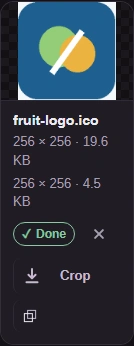
  5. Completed fruit-logo ICO with preview, output size and Download.
    Completed fruit-logo ICO with preview, output size and Download.
    Step 5. Check the output size and use the download arrow to save your ICO. Keep your editable artwork for later changes.
    1. The lower size readout covers the whole ICO.
    2. The download arrow saves your ICO.

Don’t know which sizes your website needs? The favicon and app-icon size guide explains the different places an icon appears. An app’s own requirements take priority over the default selection.

Check the ICO’s fit and smallest picture

Wide or tall artwork is fitted inside a clear square, with its edges kept in view.

Wide fruit artwork beside the square ICO output. Clear space appears above and below; neither edge is cut off.

Source artwork and fitted ICO picture

Rendered for illustration: the blue outline marks the artwork’s fitted edges; the checkerboard is clear space.

Here’s the fruit logo in the four default ICO sizes, with two small-picture details enlarged.
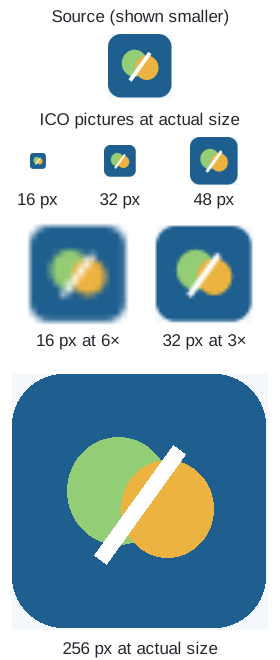
Source fruit logo, its 16, 32, 48 and 256 pixel ICO pictures at actual size, and enlarged 16 and 32 pixel details.

Same artwork, different icon sizes

Thin shapes have fewer pixels to work with in the small pictures. Check the icon in the app or website that will use it; the large preview can’t show how a tiny icon will read.

How much space do extra ICO sizes use?

In our measured ICO example, the default rebuild was smaller than the source and the all-sizes rebuild was larger. Choose sizes for the destination; ticking everything isn’t a way to shrink the file.

ICO input · 16 px, 32 px, 48 px, 64 px, 128 px, 256 px
167.3 KB
Default rebuild · 16 px, 32 px, 48 px, 256 px
129.7 KB
All-sizes rebuild · 16 px, 24 px, 32 px, 48 px, 64 px, 96 px, 128 px, 256 px
254.8 KB
Both outputs were rebuilt from the source ICO’s largest picture. The totals include the selected pictures and how they’re stored.

Doing it in FluffyBench: export an ICO to PNG

Need one PNG from an existing ICO? You can change To in this same workspace.
  1. Choose images opens the ICO file from your device.
    Choose images opens the ICO file from your device.
    Step 1. Choose images accepts an existing ICO too.
    1. Choose your ICO file.
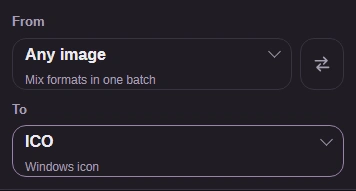
  2. To format picker before switching the ICO output to PNG.
    To format picker before switching the ICO output to PNG.
    Step 2. Open To to change the output format.
    1. To controls the saved file type; choose PNG for one picture.
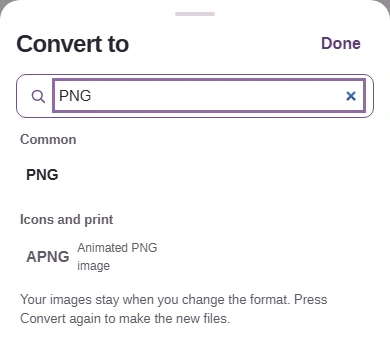
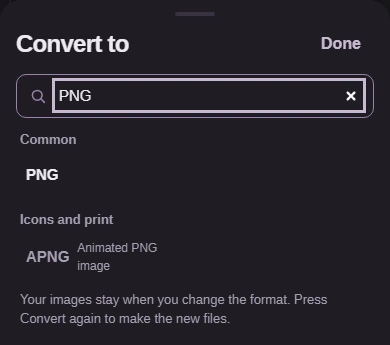
  3. Format picker filtered to PNG.
    Format picker filtered to PNG.
    Step 3. Find PNG and select it; the picker closes when you choose.
    1. Type PNG to find it.
    2. Choose PNG for one picture.
  4. Convert 1 to PNG after loading the ICO.
    Convert 1 to PNG after loading the ICO.
    Step 4. Convert exports the ICO’s largest stored picture.
    1. Confirm PNG in the Convert button.
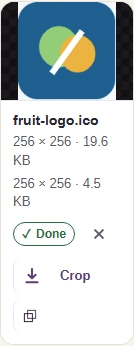
  5. ICO source and PNG output dimensions and sizes beside the fruit preview.
    ICO source and PNG output dimensions and sizes beside the fruit preview.
    Step 5. The upper readout is your ICO source; the lower readout is the PNG result.
    1. Source: the ICO you chose.
    2. Result: one PNG at the largest picture’s dimensions.
    3. The download arrow saves your PNG.

Need every picture stored inside the ICO, including any separately drawn small versions? FluffyBench’s Image Extractor returns those pictures individually. A PNG export here gives you one picture.

Need to convert an ICO icon to PNG?

PNG

FluffyBench’s PNG converter opens directly on PNG output, so you can bookmark that starting point.

Search FluffyBench