
AVIF converter
Convert images to AVIF; adjust lossy output quality.
FluffyShield Protected workspace
Convert images to AVIF; adjust lossy output quality.
Make AVIF copies of your JPGs and PNGs on your device, with control over quality and size. Save one picture or a ZIP for an app or website that accepts AVIF.
AVIF is a picture format built on the compression technology used by AV1 video. Think of it as packing your picture into a different suitcase: how neatly it fits depends on what’s inside.

Here's the complete job with FluffyBench's default settings. The last two frames show alternative ways to save: one AVIF or a batch in a ZIP.
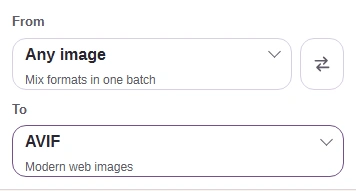
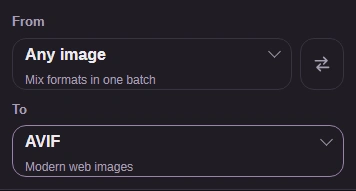
A saved AVIF needs to fit your destination’s size limit and open in the app or website that will use it.

Quality starts at 92; a higher number asks for more detail and can make a larger file.
Here’s the same mountain detail from a JPG, the default quality-92 AVIF, and quality 100.

Here are the same PNG text edges beside the two AVIF copies.

Here’s where to change Quality in FluffyBench’s AVIF converter.
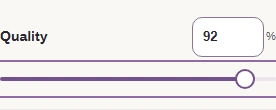
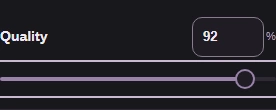
Size controls the picture’s width and height in pixels.

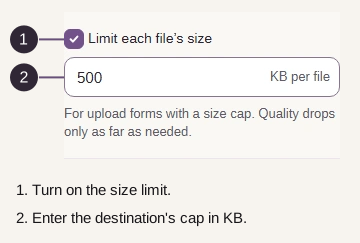
These are the two file-size cap controls in Settings.
FluffyBench’s AVIF converter keeps transparency. Here’s the same Earth edge in the original PNG and the default AVIF, over light and dark backgrounds.

These are the Animated images choices in FluffyBench’s AVIF converter.

If AVIF doesn’t fit your destination, choose the format it asks for. These branches also cover an unexpected output or a conversion that stops.
Choose AVIF in TO as shown above; renaming a file doesn’t change its format.
Try a smaller source image. Very large pictures can exceed the memory available to the browser.
FluffyBench can’t convert animated AVIF inputs tagged with wide-gamut, HDR, or ICC color. Read about color profiles.
Your destination’s required format decides which FluffyBench converter helps:
Make a PNG copy for a destination that needs PNG or exact decoded pixels.
Make the photo format it requests; JPG fills transparent areas with a color.
Make a WebP copy, including transparency or animation when needed.

