Convert PSD images to PNG; transparency is preserved.
FluffyShieldProtected workspace
From
To
PNG options here: browser or advanced encoder; RGBA, RGB, grayscale or indexed color; 8- or 16-bit; Fast, Balanced or Maximum compression; interlacing. Which PNG settings are worth changing?
Need a shareable copy of a Photoshop document?
FluffyBench turns the saved picture in your PSD or PSB into a flat PNG or JPG, right in your browser.
FluffyBench · 8 min read · Measured with FluffyBench's PSD converter
What FluffyBench exports from a PSD or PSB
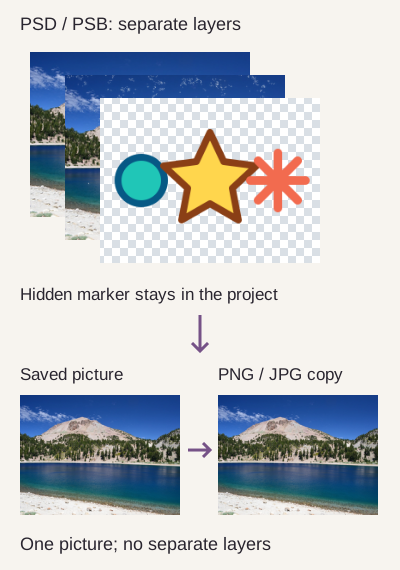
A Photoshop document's layers are like clear sheets stacked over a picture. FluffyBench's PSD converter reads the saved picture of that stack, called the composite, and makes a flat PNG or JPG.
The hidden marker belongs to the editable project; it isn't part of the saved picture. How we reviewed · Photo: NPS Photo, Public domain, U.S. federal work; Public Domain Mark 1.0, via Wikimedia Commons / National Park Service.
PSD is Photoshop's working format; PSB is its Large Document Format. Both can hold the saved picture alongside the layers. You can send the PNG or JPG to someone who needs to view or place the finished picture, without asking them to open a Photoshop project.
FluffyBench doesn't rebuild the layer stack or offer a layer to export. Your download is one picture: you can't move a separate layer or reveal a hidden detail in it. The saved picture is the version stored when the document was saved.
Choose PNG or JPG for your Photoshop picture
Choose PNG for sharp graphics or a copy without JPG's extra compression changes. Choose JPG when your destination asks for it or you want to trade some fine detail for a smaller photo file.
The PNG matched the saved picture in this crop; the JPG changed pixel values. Exact counts are in How we reviewed. · Photo: NPS Photo, Public domain, U.S. federal work; Public Domain Mark 1.0, via Wikimedia Commons / National Park Service.
A changed pixel value is a change in the stored color at one spot. It doesn't necessarily look different at normal viewing size. That's why the enlarged detail is useful: you can judge the texture you care about instead of treating a count as a quality score.
For a clear background, use PNG with Browser default encoding, or RGBA in the advanced encoder. JPG fills transparent areas with the color selected in Settings.
Checkerboard means clear space; the JPG's white surround is part of the picture. Rendered for illustration from the existing Earth sample. · Photo: NASA, Public domain, NASA Apollo 17, via Wikimedia Commons.
PNG's lossless encoding doesn't undo changes made while opening the Photoshop picture. FluffyBench removes embedded color profiles and duotone inks, and converts CMYK print colors to RGB screen colors with a simple formula. For color-sensitive work, the color profile guide explains what losing a profile can change.
Convert a PSD or PSB to PNG in FluffyBench
Here's the PNG workflow, from opening your document to saving a copy. Your pictures stay on your device.
123
123
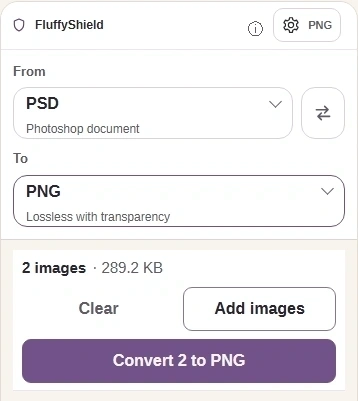
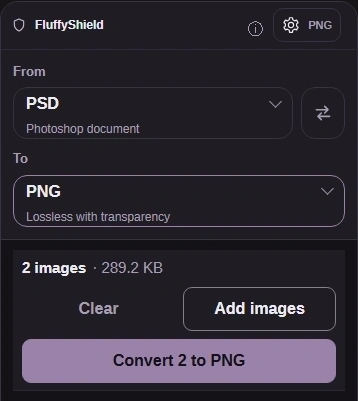
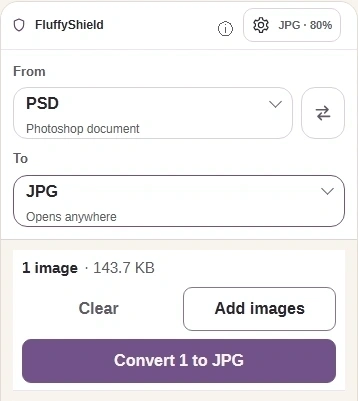
Step 1. Choose images adds your PSD or PSB. Keep the Photoshop document for future edits.
1
Choose images opens your device's file picker.
2
To opens Convert to, the output picker.
3
Settings opens the output controls.
1
1
Step 2. Choose PNG in Convert to; selecting a format closes the picker.
1
Choose PNG for this walkthrough.
123
123
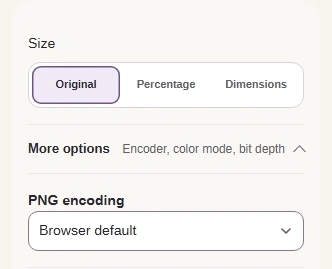
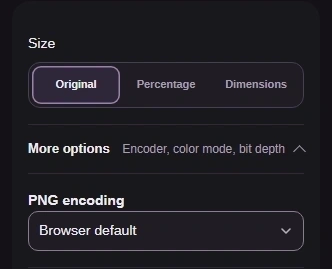
Step 3. Keep Size at Original to preserve pixel dimensions. Open More options and leave PNG encoding on Browser default.
1
Size: Original keeps the original dimensions.
2
More options reveals PNG encoding.
3
Choose Browser default for this PNG.
12
12
Step 4. Press Settings again to close it, then Convert. FluffyBench processes the saved picture in your browser.
1
Settings closes the panel.
2
Convert creates your PNG copies.
123
123
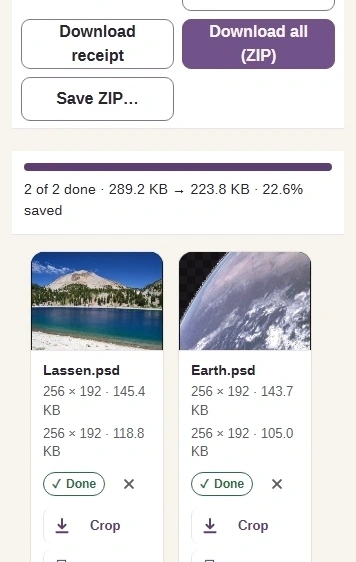
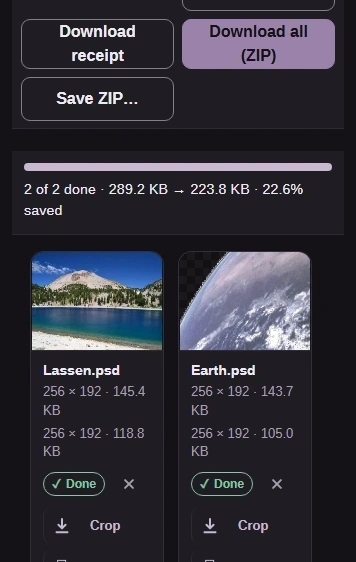
Step 5. The completed rows show output dimensions and size. Download saves one copy; Download all (ZIP) saves the batch.
1
Read the output dimensions and file size.
2
Download saves this PNG to your device.
3
Download all (ZIP) saves both PNGs.
PNG results also have Copy image when your browser can write pictures to the clipboard.
Copy image copies the PNG picture for pasting into another app.
Convert a PSD or PSB to JPG in FluffyBench
JPG adds Quality and a fill for transparent areas. Set those before you convert.
1
1
Step 1. For a JPG copy, add your PSD or PSB as above, then choose JPG in Convert to.
1
Choose JPG as the output.
123
123
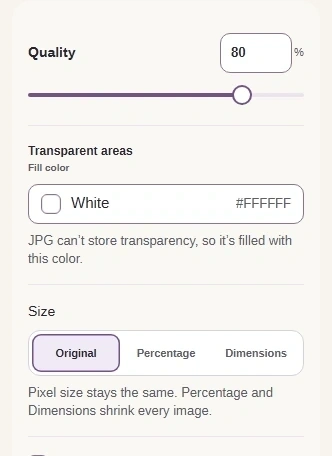
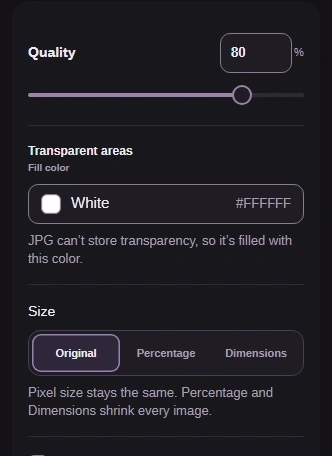
Step 2. Quality trades detail for file size. Leave the Fill color at white and Size at Original for this JPG.
1
Choose Quality 80 for this example.
2
The Fill color is white here.
3
Leave Size at Original.
12
12
Step 3. Close Settings and press Convert. The PNG walkthrough above shows how to download your copy.
1
Settings closes the panel.
2
Convert creates your JPG copy.
What to check before you use your PNG or JPG
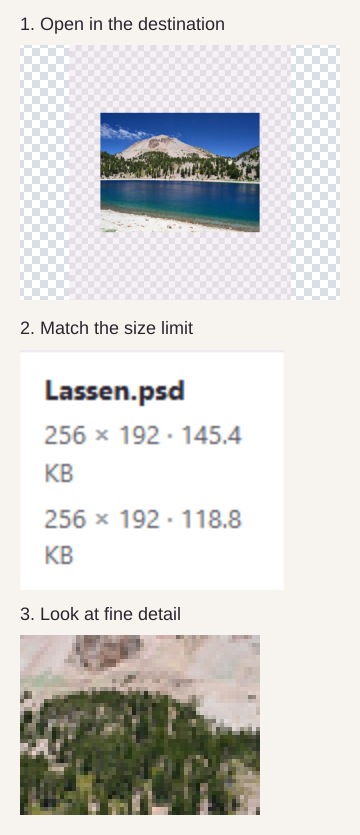
The receiving app needs to accept your format, the file needs to fit its size limit, and the detail needs to look right. Use these three checks before you send it.
The opening check uses FluffyBench's Image Viewer as an example; check the app that actually requested your picture. · Photo: NPS Photo, Public domain, U.S. federal work; Public Domain Mark 1.0, via Wikimedia Commons / National Park Service.
A thumbnail is handy for recognizing the picture; it isn't large enough to judge small text or a soft edge. The destination's normal display size is the useful place to make that call.
If FluffyBench asks for a saved Photoshop picture
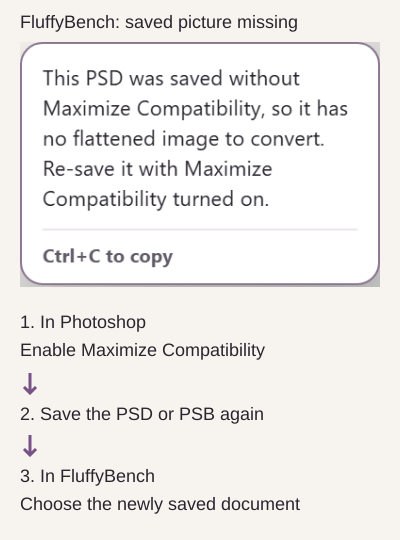
A document saved without Maximize Compatibility can lack the picture FluffyBench needs. This is a Photoshop save option, separate from FluffyBench's output Settings.
Recovery actions are in Photoshop until the final step returns to FluffyBench.
For a refusal naming a color mode or sample depth, FluffyBench can read RGB, CMYK, grayscale and duotone at 8 or 16 bits, indexed at 8 bits, and bitmap at 1 bit. Lab, Multichannel and 32-bit documents are refused. Maximize Compatibility doesn't change those color or depth limits.
Why a converted PSD or PSB can be larger
Exporting makes a fresh image file; it doesn't guarantee a smaller one. In this generated PSB example, the simple source picture compressed more tightly than either export.
PSB
138.9 KB
PNG
288.6 KB
JPG
2.5 MB
One generated picture, saved three ways; compare your output readout with your destination's limit.
If your output is too large, FluffyBench's Image Space Saver helps you work toward an upload limit. The guide to files growing after conversion explains why a different format can take more room.
If PNG or JPG isn't the result you need
FluffyBench's PSD converter exports a saved picture. These tools help when your next job is inspecting that picture, changing its dimensions, or preparing a different kind of copy.
If your copy is the wrong type, use the PNG or JPG walkthrough above to make the format your destination requests. Renaming a .png file to .jpg doesn't change its contents.
Need FluffyBench's PNG converter for advanced PNG color and sample-depth choices?